This driver is used to transmit IR commands over the network / RS232.
Data points of the component:
Name |
Type |
function |
Debug |
Output |
Error messages are displayed here. The diagnostic information is displayed there, linked to the [Signal] input of the log window. |
Dynamic |
Folder |
This folder contains the created devices. |
Driver On/Off |
Bidirectional |
Turns the driver on or off |
Driver State |
Output |
Returns the driver state. |
In addition to the data points for debug messages, the driver state and the input for (de) activating the driver, a subfolder is created for each available port.
If the port is a serial cable, 2 data points are created. Values that arrive via the data point "Serial data" are sent as they are as a string to the serial interface.
At values received via the alternative data item "Serial data with CR / LF", a CR and / or LF is appended depending on the setting.
Properties
Name |
function |
|
|---|---|---|
IP Address |
0.0.0.0 |
The IP address of the GlobalCache Gateway must be specified. |
Connectors |
0 |
The ports editor reads out the ports provided by the gateway. |
IR-Code Import |
0 |
Imports the codes that were exported via the iLearn tool. |
Add CR |
x |
(carriage return) Here you can select whether (in the case of a serial cable connected to the gateway) a \ r and / or \ n should be added to the string to be sent if the string is sent to the component via the alternative data point , |
Add LF |
x |
(line feed) Here you can select whether (in the case of a serial cable connected to the gateway) a \ r and / or \ n should be added to the string to be sent if the string is sent to the component via the alternative data point , |
Driver On/Off |
|
Turns the driver on or off |
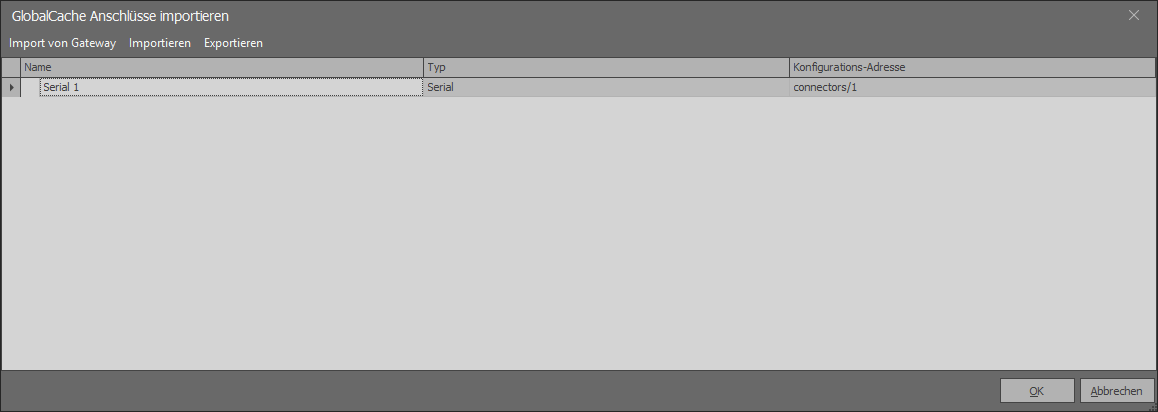
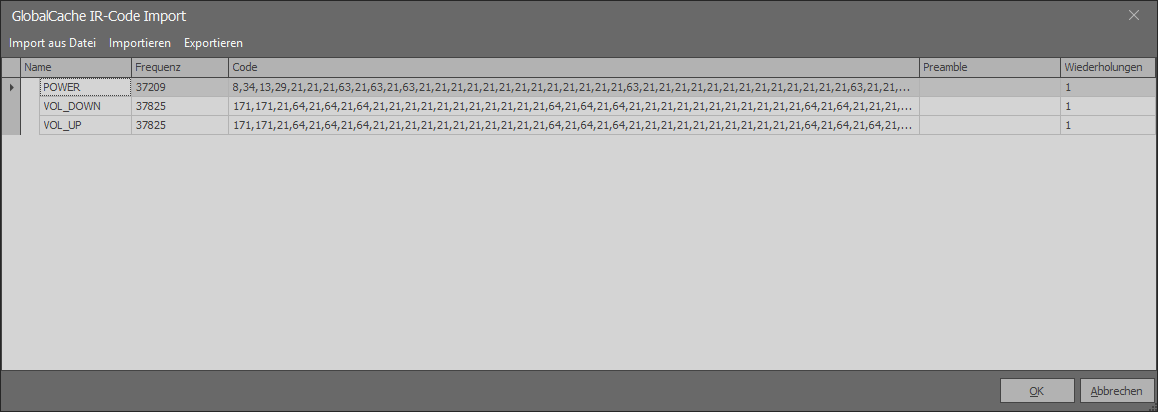
In the "Ir-Code Import" editor, learned IR codes (using the Global-Cache iLearn tool - storing in Flex-JSON format) can be imported into the file.
If the port is a serial cable, 2 data points are created. Values that arrive via the data point "Serial data" are sent as they are as a string to the serial interface.
At values received via the alternative data item "Serial data with CR / LF", a CR and / or LF is appended depending on the setting.
If the connection is an IR transmitter, below the folder all imported IR codes are displayed, which can be triggered by means of arbitrary values.
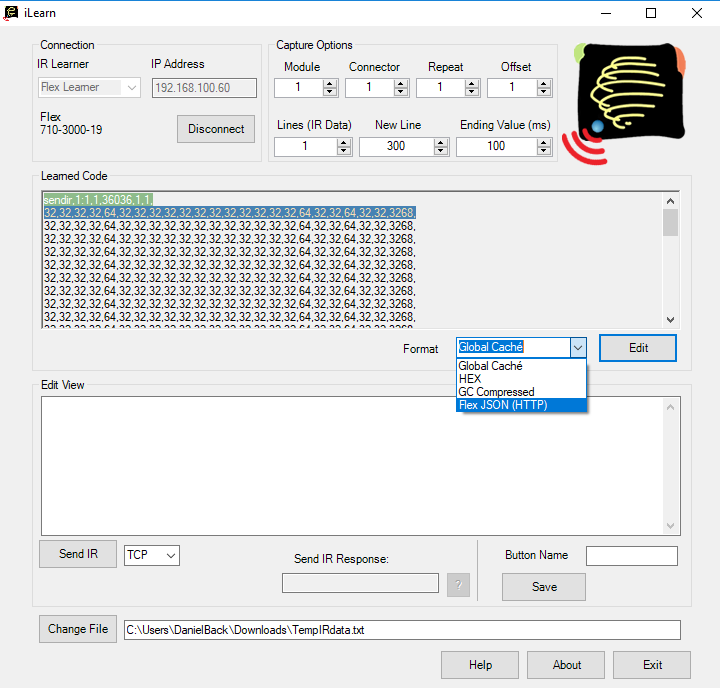
iLearn-Tool and set up the interface:
To set up the interface, connect the device and call the IP address of the device in the browser.
Attention: an ad may be browser dependent.
Settings for infrared transmission
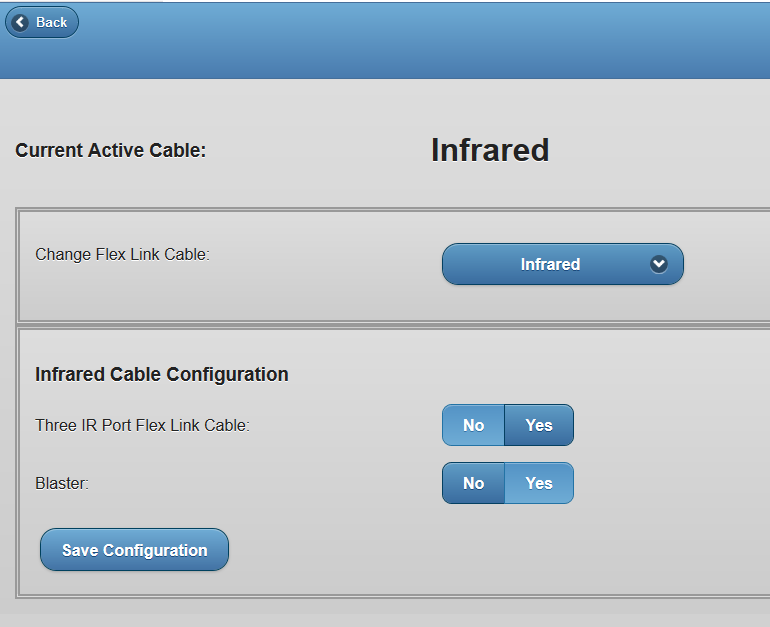
Serial transmission settings
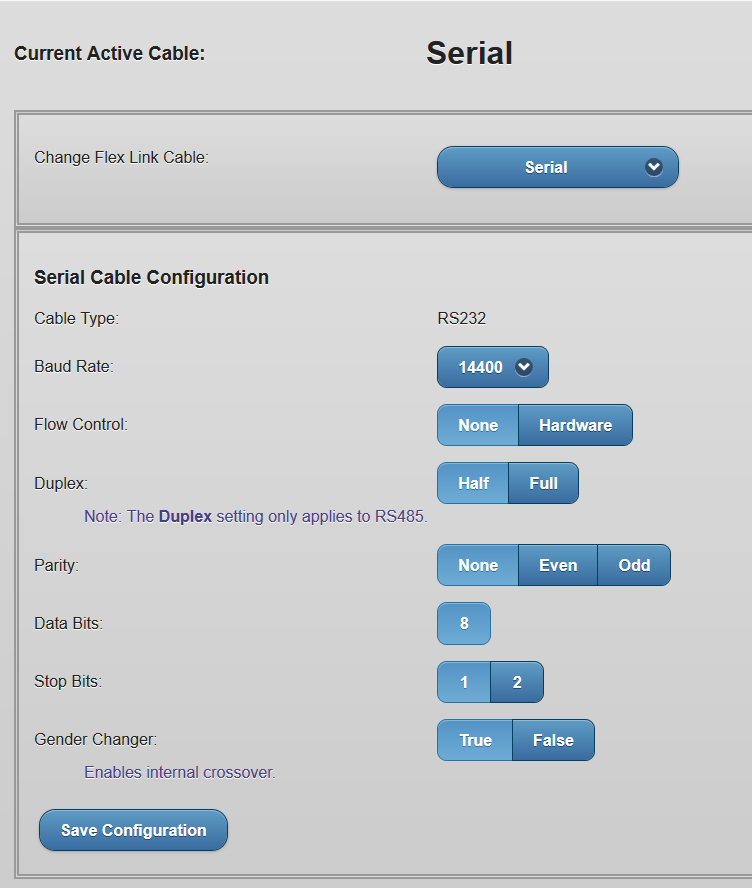
Settings in the iLearn for transmitting the IR signals
For the connection the "Flex Learner" has to be selected. Then enter the IP address of the module and click on "Connect".
Now the IR signals can be read out.
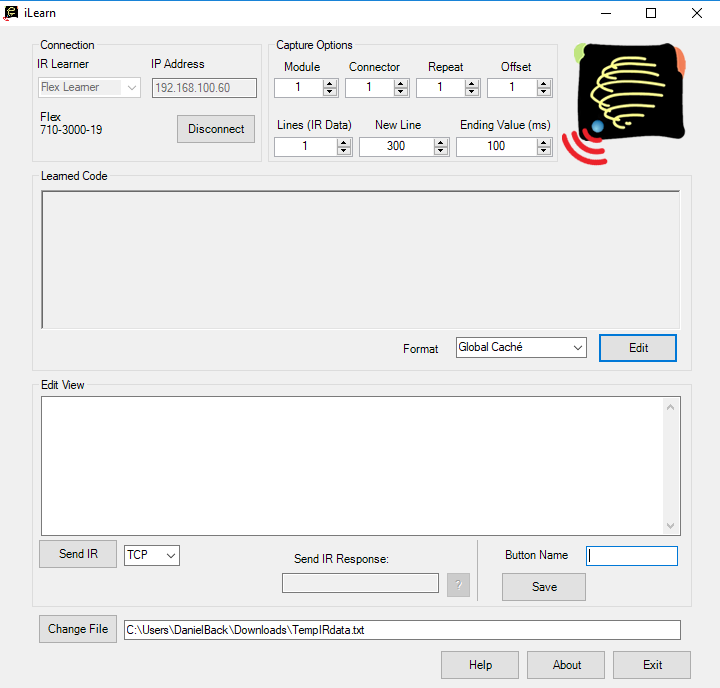
After successful IR evaluation:
Select the format "Flex JSON (HTTP)" and click "Edit".
Finally, enter a "Button Name" and press "Save". The .txt file is now ready for import into EisBaer.