Example of the integration of ChatGPT via the REST API. A ScadaComp can be downloaded here.
Prerequisite is a paid access.
1. log in to openai at https://platform.openai.com/api-keys
2. press + Create new secret key and request a key
3. copy the key
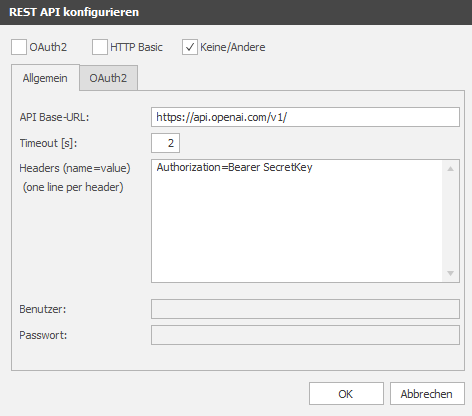
4. select "None/Other" as authentication in the EisBaer
5. API Base URL = https://api.openai.com/v1/
6. enter "General" in the header "Authorisation=Bearer Space Secretkey" (example: Authorisation=Bearer YourChatGPTSecretKey)
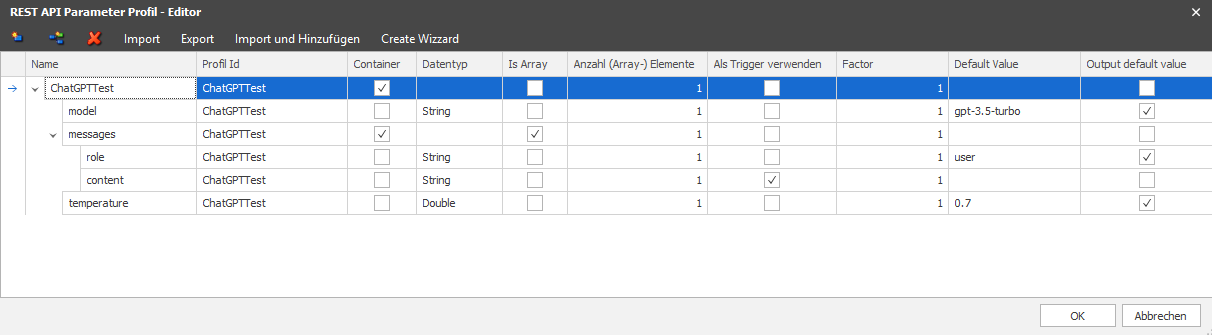
7. create parameter profile:
8. create a channel in the channel editor for the questions to ChatGPT via the path "chat/completions":

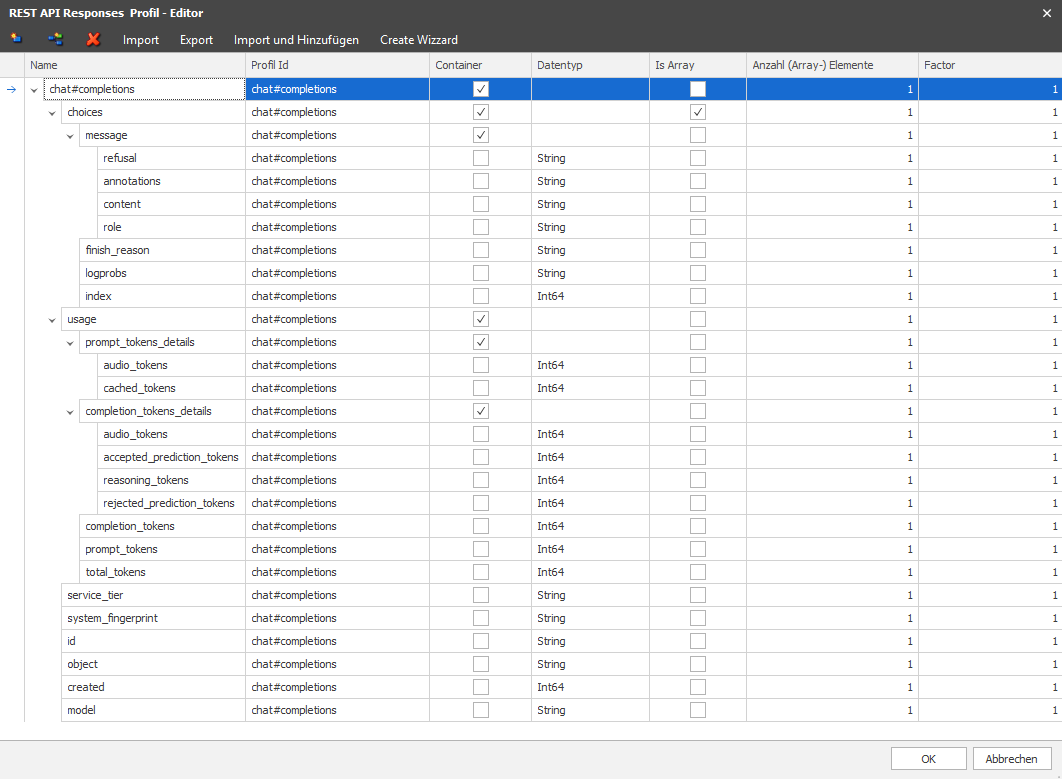
9. the response profile is created:
A question can now be sent to ChatGPT via the text input.
To do this, the text is sent to the data point: Dynamic - Query parameters - messages - [0] - content.
The answer is received at the data point: Dynamic - Ask question - Query answer - choices - [0] - message - content