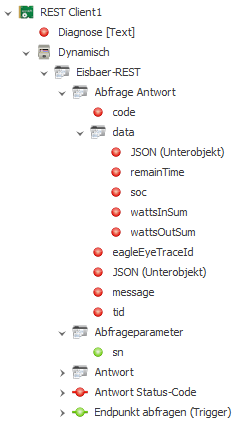
Example of integrating the EcoFlow River 2 Pro via the REST API. A ScadaComp can be downloaded here.
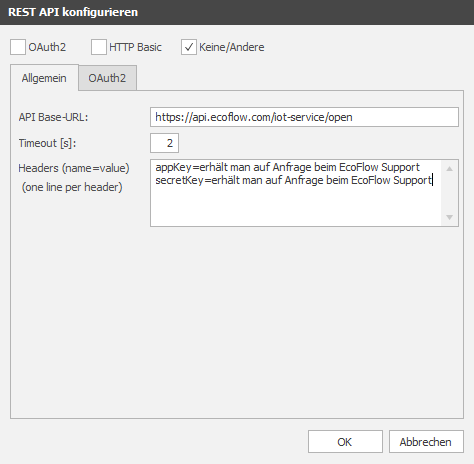
The River 2 does not have OAuth2 authentication, so "None/Other" must be selected in the connection settings.
The AppKey and the SecretKey can be requested from EcoFlow Support.
The serial number must be transferred to query the device. A new entry is created in the parameter profile for this purpose. For the String data type, select the string extendet for "Default Value". Then enter the serial number and confirm with OK.

A query is now created in the channel editor. The query path must be specified for this. In the case of EcoFlow, the format "Application_from_url_encoded" must be selected. The profile set up above is selected for Parameter.

A query of the endpoint can now be executed via "Read Datapoint". To customise the parameters before the query, a window is opened so that values can be changed. If all parameters are available, the response appears as a JSON string.
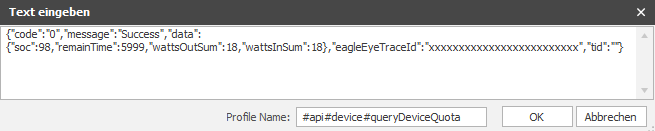
A descriptive name for the query can be entered under Profile name (e.g. EcoFlow). Click OK to automatically create all data points as a response profile.
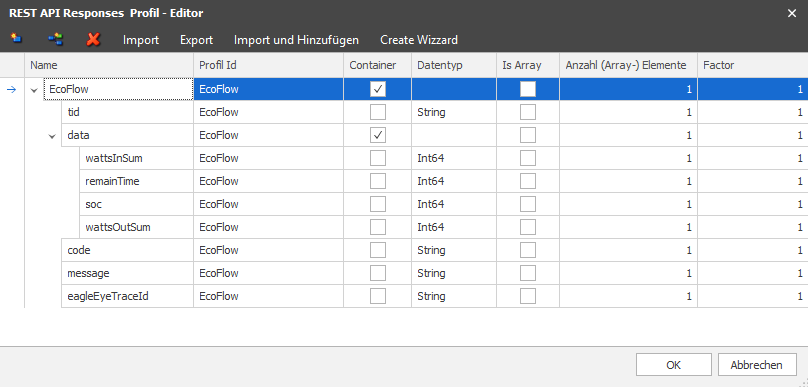
The data points are also created according to the response profile.