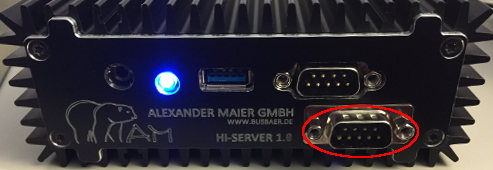
Instructions for integrating the internal Modbus RS485 interface for the HI servers 1.9, 3.0 and 3.8.
Product name and number: EisBaer HI-Server RS485 interface (internal mounting) AM-EIS-401-26
The installation of the RS485 interface is done in the factory. For subsequent retrofitting, the HI server must be returned.
After installing the interface card, it will be recognized as an unknown device after booting Windows. In the Windows Device Manager, the drivers (64 bit) of the enclosed CD must be installed via "Update Driver". There are several installation runs.
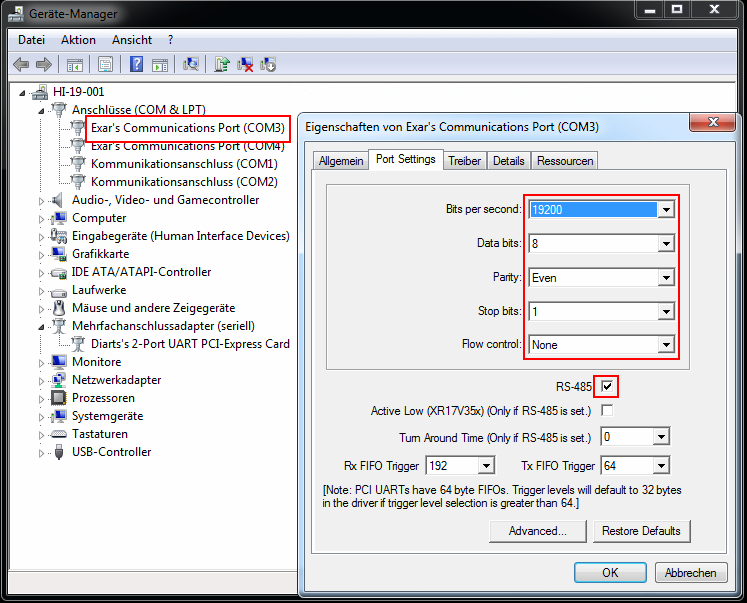
Then the connected adapter port is created as COM 3. In order to activate the Modbus access, the checkmark for RS-485 must be set in the properties of the COM3 port. In addition, the baud rate (bits per second), parity, etc. must be set in the Device Manager, the Modbus device, and the Polar Bear driver.
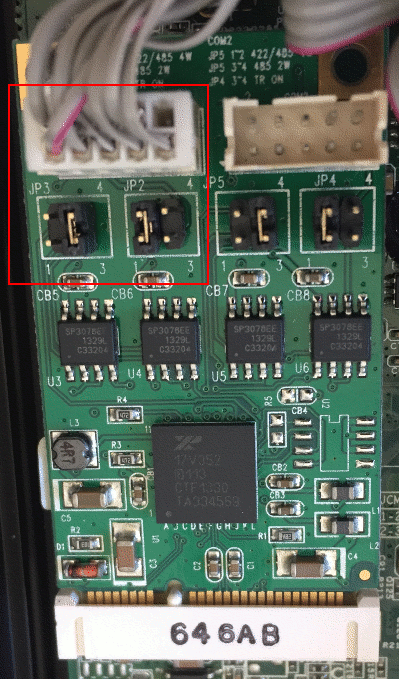
The default jumper settings are set to 2-wire RS485 and do not need to be changed.
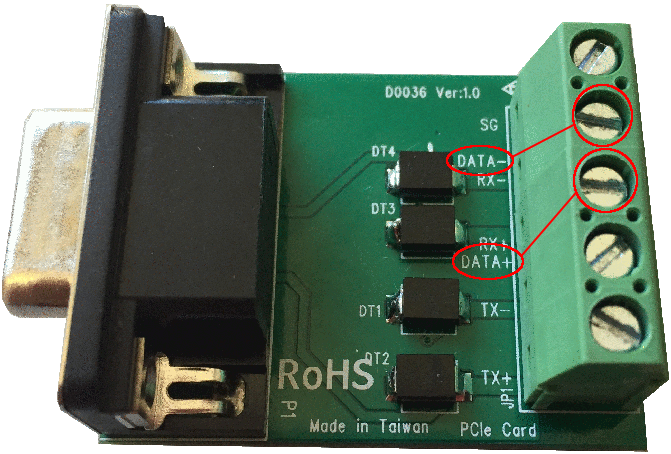
The Modbus RTU (RS485) line is connected via the Data + and Data- connections of the supplied Terminal Block Adapter. It is important to pay attention to the polarity. Since the designations of the connections on the various Modbus devices vary greatly, it is possible to determine the correct connection assignment by means of probing.
The terminal block adapter is connected directly or via a serial extension cable to the HI server. Use the lower 9 pin SUB-D connector for this purpose.