KNX2MQTT:
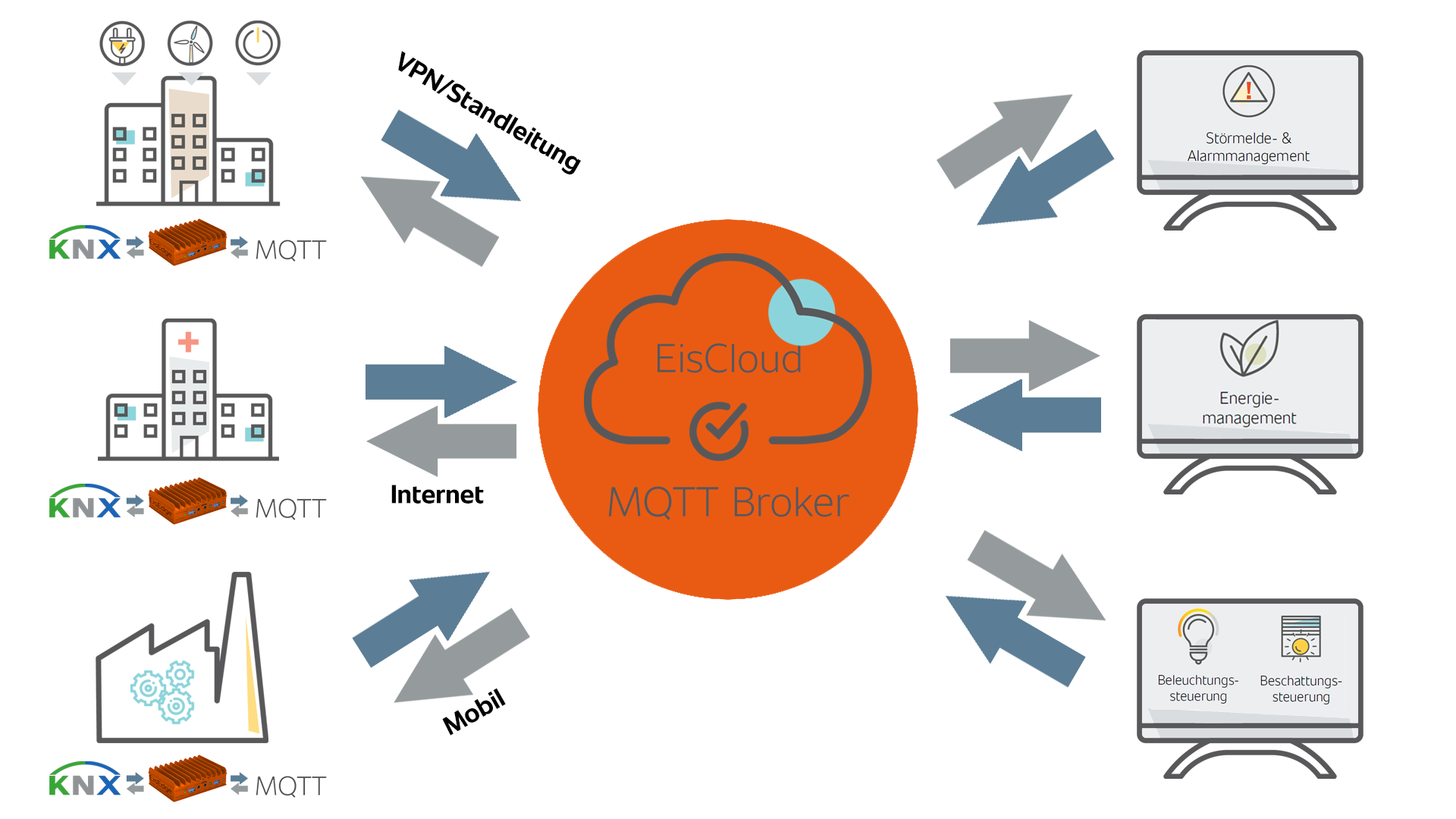
By means of the new internal, bidirectional connection interface "KNX driver gateway" at our KNX driver, as well as at our MQTT client, it is possible to connect these two components quickly and easily. After the export/import process, all existing KNX communication objects are mapped as topics in the MQTT client, which are already connected internally - without any linking work. The topics are therefore 1:1 mappings of the existing KNX data points. In the MQTT Client channel editor, the automatically generated topics can be set in such a way that the data can either be sent from KNX to MQTT or in the other direction and/or also received - depending on the application.
The application areas here include the cross-location connection and networking of the KNX system(s) via an encrypted SSL connection to a remote MQTT broker or clients connected to this, a connection of several autonomous KNX systems of a property to one or even several MQTT brokers (redundancy), whose individual buildings, however, are not networked via a dedicated line, in order to centrally manage fault messages, for example. Being able to collect meter data, consumption and temperature values or to execute single/central commands, scenes and the like across locations is another main focus for such an implementation.
In a single building, messages and states from the KNX world can thus be communicated quickly and efficiently to other systems that also work with the MQTT protocol, and of course vice versa.
Procedure:
In the respective KNX driver under Settings - Data points, an export is first executed with the option "(Export CSV (Tab))" via the file menu in order to save all existing communication objects of the driver in a CSV file. The created export file is then imported into an MQTT client driver component. In the channel editor of the client, the driver source "KNX" is selected for the import in the upper menu bar and the desired file is accepted and imported via the following dialog. Thereupon, all existing communication objects are automatically converted into topics in the channel editor and are then internally connected between KNX driver and MQTT client without having to link the KNX data points with the MQTT topics. The mapping of the KNX data points is then the physical address including object number and group address name per communication object.
Topic structure
The physical address + object number + GA name e.g. "01.11.001.010 Demo system.Switched.corridor on/off" is thenconverted as topic into the form "01/11/001/010and the data type setting is also defined automatically.The retain and publish flags are automatically set. For a necessary bidirectionality, the topics can be individually provided with the subscribe flag.
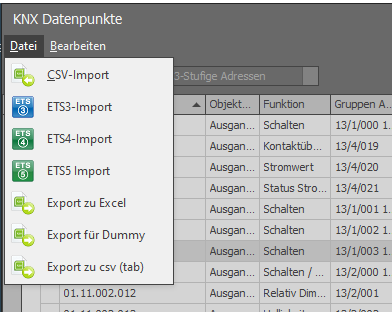
Fig. 1: Export KNX data points to CSV (Tab)

Fig. 2: KNX import in the MQTT Client Channel Editor
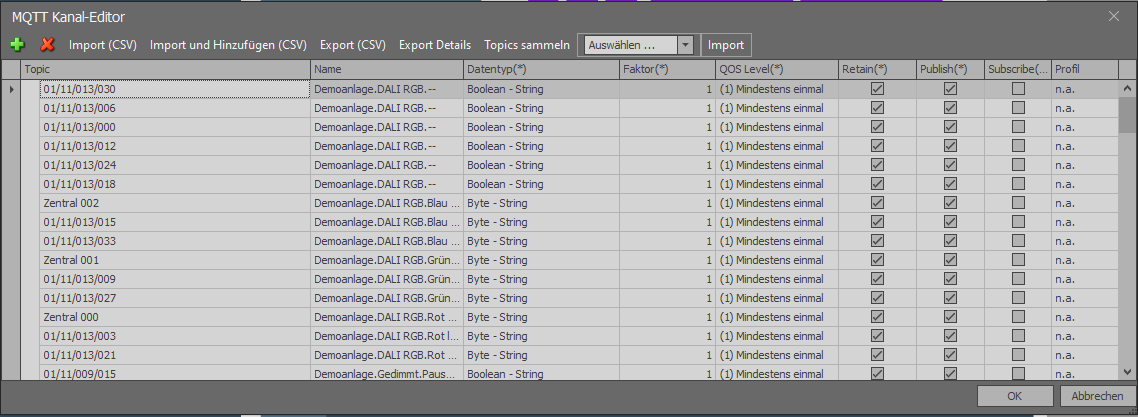
Fig. 3: Channel editor after KNX data import (CSV tab)
Multiple KNX connections / BaseTopic
If there are several KNX connections, e.g. from several buildings, it is useful to work with the BaseTopic function, which can be defined in the properties of the MQTT Client. The BaseTopic is then prepended to each topic during the publish and/or subscribe process.
This makes it easier to assign the topics to the MQTT broker or to subscribe them more clearly from other MQTT clients - this can consist of numbers and/or letters - this makes it easier to map building numbers, postal codes and the like. The only thing to keep in mind is that the BaseTopic is not "visible" in the channel editor. In order to get a detailed topic description from the client, a "detail export" is possible in the channel editor.
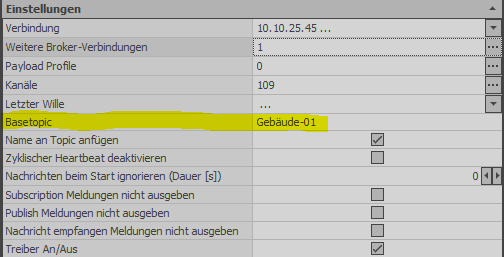
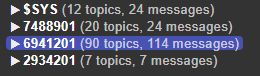
Fig. 4 +5: BaseTopic naming in different variations

Fig. 6: Extract from a CSV-generated "detail export
Using the user/client control of the EisBaer MQTT broker or our MQTT EisCloud (for a fee), any scenarios for managing the data situation from one or more systems can then be mapped - in dependencies of clients, users with specific authorization and authentication.
A special feature of our EisBaer MQTT client also allows data to be sent or received not only to one, but to several brokers simultaneously (redundancy). Perfect interaction for system coupling via mobile radio, Internet or leased lines is always achieved in the combination: EisBaer MQTT client and EisBaer MQTT broker or EisBaer MQTT EisCloud, since in this case there is not only a primary broker (master), but also at least one or more secondary brokers (slaves). The data location and connections are completely regulated in the EisBaer MQTT client, the data management via the broker.