Prerequisite: MQTTBox (This is free software that can be downloaded from the Win10 AppStore)
Creating the MQTT component in the EisBear Editor.
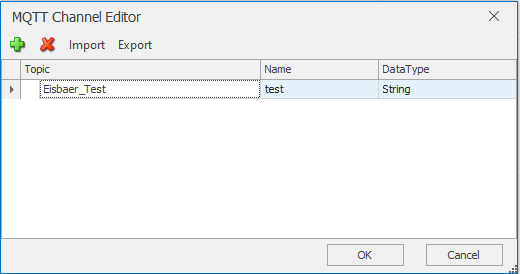
Creating a channel: Topic = Eisbaer _ Test, name = freely definable, type = STRING
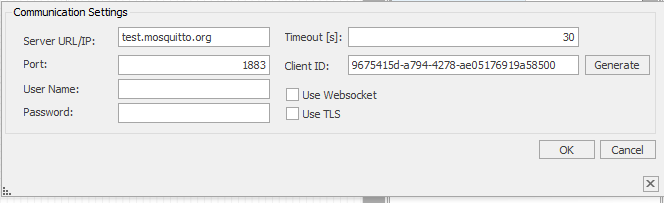
Communication settings:
Server (Broker): test.mosquitto.org
Port: 1883
Devices ID: Free to choose but unique
Link the data points from the Dynamic folder to the "Value-driven Text" component
Start the app "MQTTBox"
Connecting the Server/Client connection:
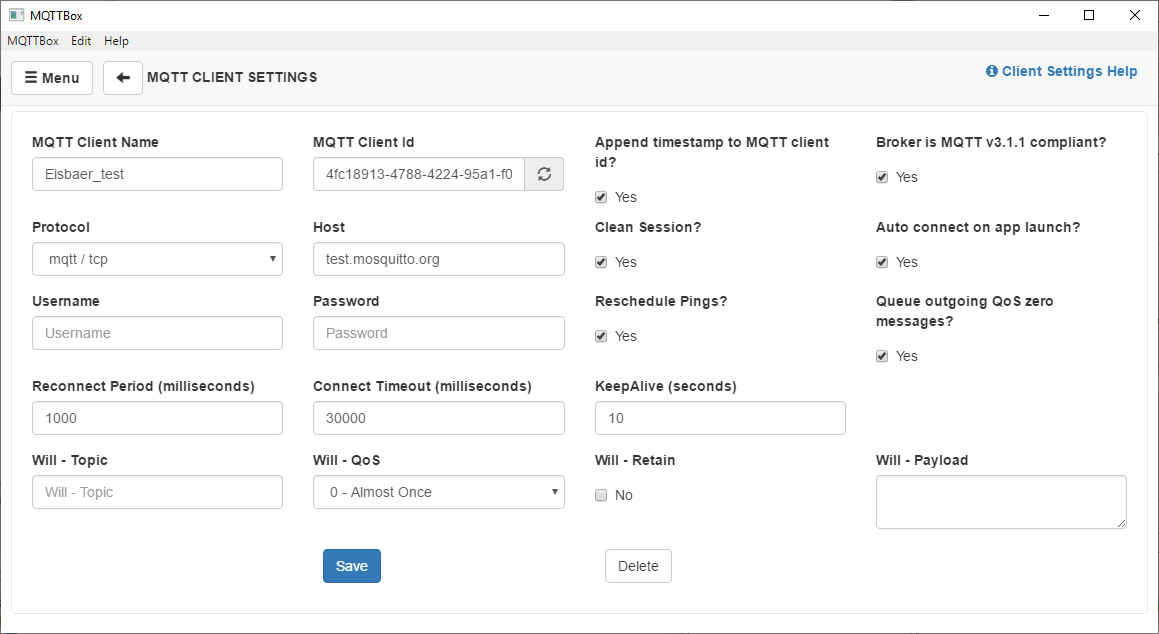
Once saved, the connection is automatically established.
Topic to publish: Eisbaer _ Test (the same name as in the EisBaer channel editor)
QoS: 0 (in this case, the transfer is always QoSizes 0)
Payload Type: String / JSON / XML / Characters
Payload: Entry of the text to be transmitted
With the "Publish" button, the registered text is transmitted to the server (broker).
The EisBaer MQTT client retrieves this data and displays it.