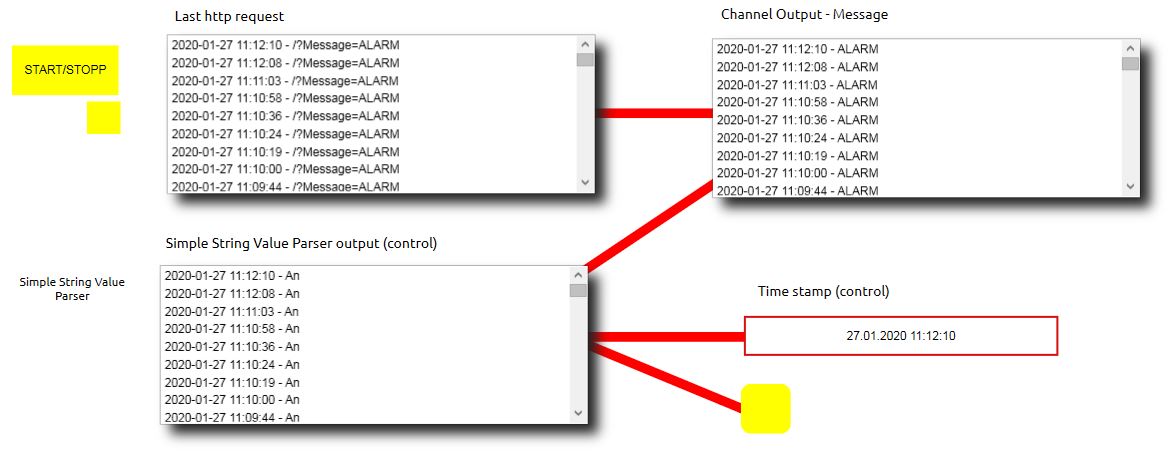
According to EisBaer SCADA version 3.0.2270.687, http requests can also be received via the http server and displayed or evaluated accordingly in combination with other components. During the tests, please make sure Start the EisBaer Editor with explicit administration rights or, what would be recommended, run the test in the server-client environment.
In the following example, an HTTP request from an AXIS camera with firmware 9.x is sent when the camera detects motion with the text: Alarm and is received in the EisBaeren and processed accordingly.
Settings - AXIS camera:
Activate and open the motion detection via the configuration menu under APPS and define the detection area.
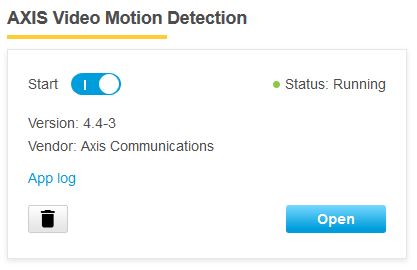
Then set the following options in the configuration menu under EVENTS:
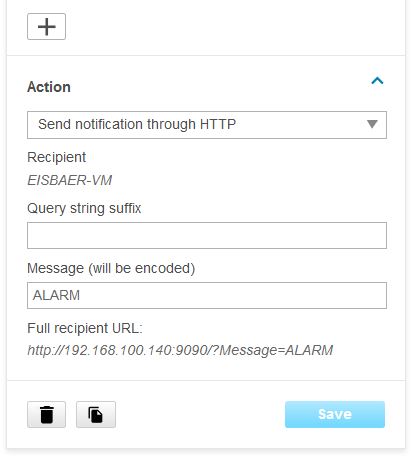
1. Receiver (in this case the IP address of the EisBaer SCADA server with the corresponding port number, which was defined in the http server component).
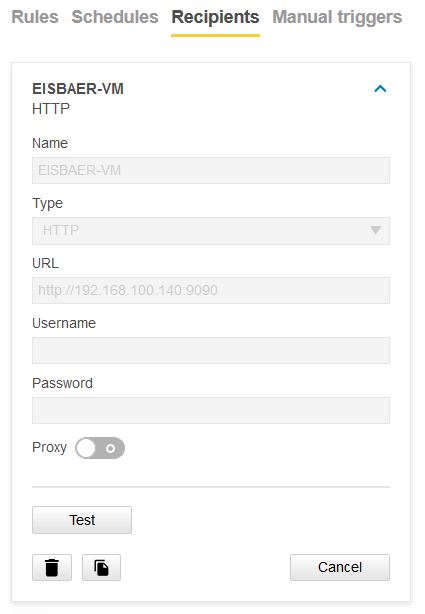
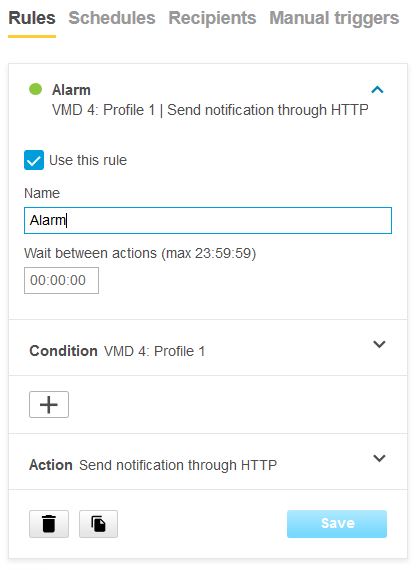
2. Create rule (in the example, an http command ALARM should be sent to the polar bear when moving)
If only the notification is defined, the camera will automatically set up the request as follows:
http: // IP: port receiver / Message = ALARM
Settings - EisBaer SCADA:
1. set Http server to receive a specific IP address or any IP addresses incl. port number and define the prefix of the request as channel name in the channel list (e.g. Message).
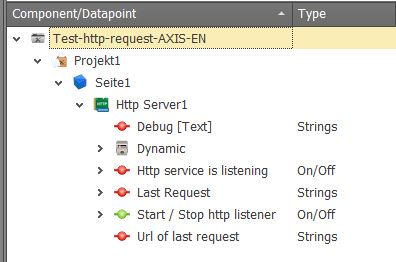
Alternatively, the data point "Last request" can be used.
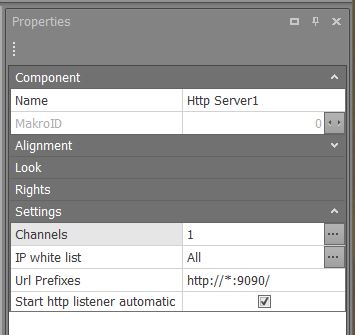
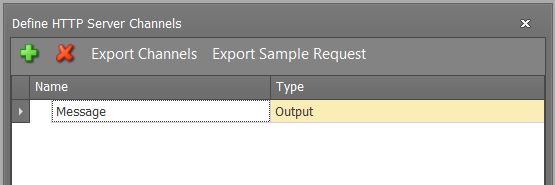
The communication of the http server can be used to output and display the notification of the incoming request as well as the other messages via the protocol window, value-dependent texts, etc. via the defined output.
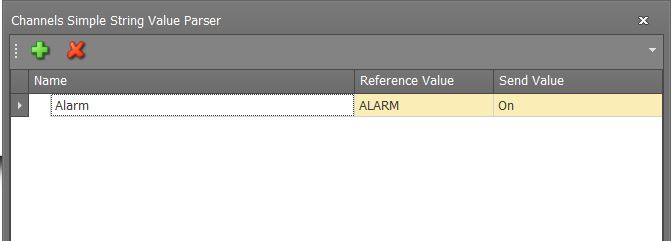
2. Text value parser. In order to convert the notification text into a switching signal, the TEXT VALUES PARSER component would be ideal in the above application. In the component, the incoming value is compared with the defined search value (here: ALARM) and if this is recognized, the set send value is triggered at the output.
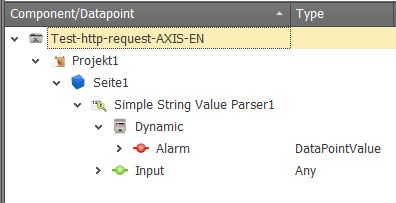
3. Analysis and output in server / client mode