Work / power / pulse meter
Depending on the system, the work [kWh], the power [W] or the pulse from the electricity meter can be used for the calculations.
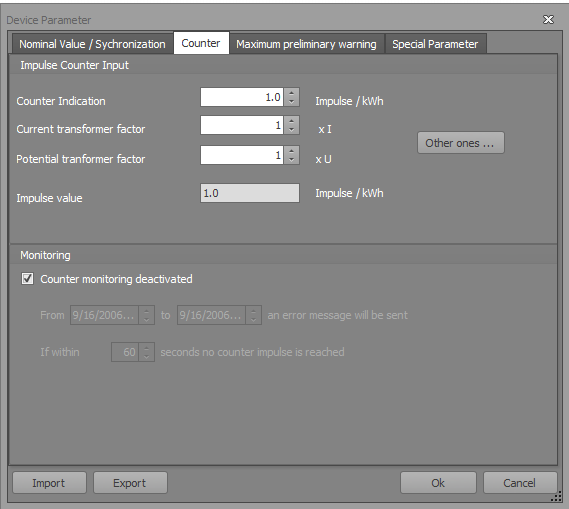
Counter input
This parameter is the input signal type set for the instantaneous power of the maximum monitor. It can choose between pulses, energy values and instantaneous power values. With a decision on impulse, the maximum monitor works with energy proportional energy pulses. With energy values are energy values, and, with instantaneous power values power values are processed.
Counter indication pulse value
Here, the pulse value of the used pulse counter is set. This parameter is only active when the counter is set to input pulses.
Current transformer factor
When using a Current transformer here, the transformer ratio can be specified.
Voltage transformer factor
When using a Voltage transformer here, the transformer ratio can be specified.
Monitoring
Receiving the required readings can be monitored by the maximum monitor. It then checks whether corresponding input values are received within a specified time.
Time Span
When at the meter input of the maximum monitor for the adjustable time span no value is received an error message is output and the maximum monitor goes into emergency operation.
Monitoring period of the meter pulse
With this parameter the day period is set in which the meter monitoring is active.
Note: meter monitoring must be active in low load phase, otherwise, without a "real loss of values", fault messages are issued and the maximum monitor switches to emergency operation.