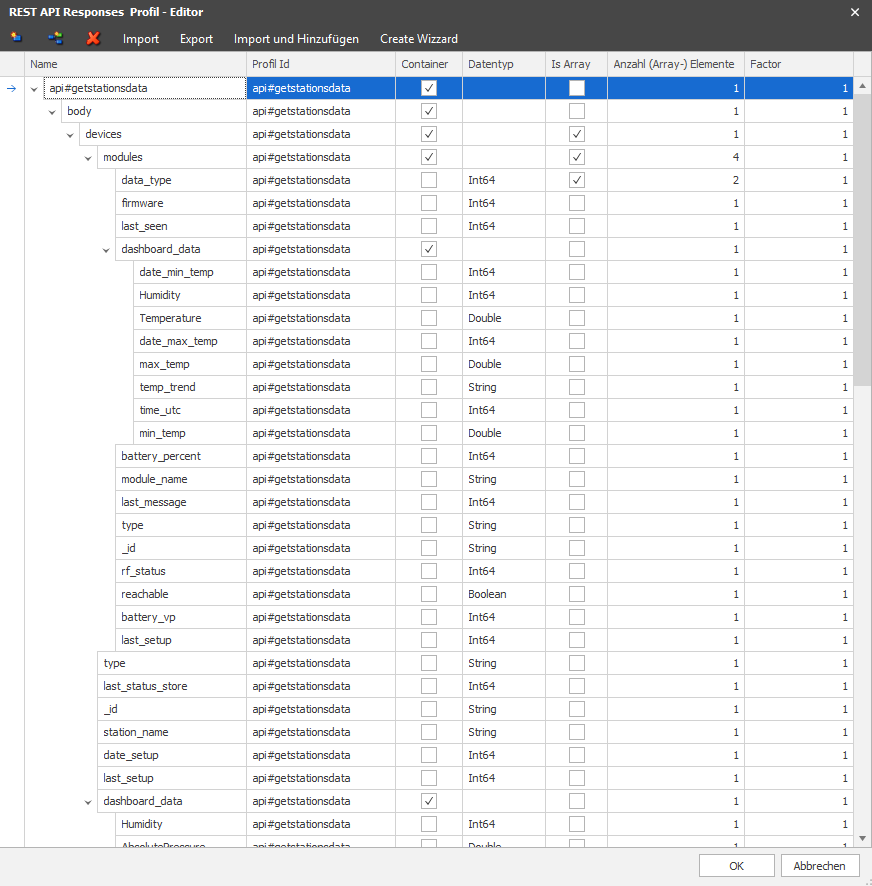
Example of integrating Netatmo devices (weather station) via the REST API. A ScadaComp can be downloaded here.
Netatmo offers an OAuth2 connection. The documentation for this can be found at https://dev.netatmo.com/apidocumentation.
The base URL must be entered in the connection settings, as well as all fields for the "OAuth2_AuthCodeGrant" authentication.
|
|
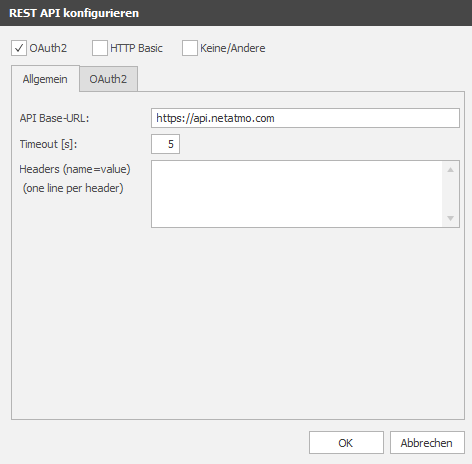
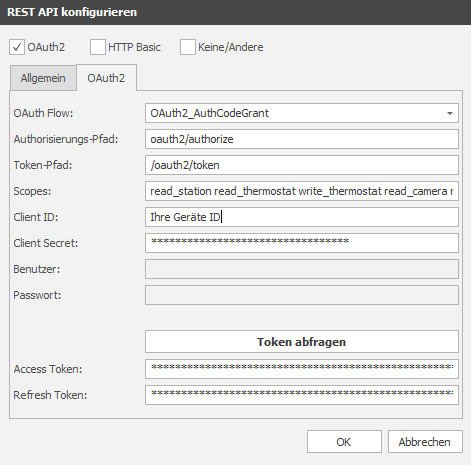
The scopes can be customised. This is used to restrict data access. At least one scope must be entered. They are separated by spaces.
There are currently 9 scopes: read_station read_thermostat write_thermostat read_camera write_camera access_camera read_presence access_presence read_smokedetector read_homecoach
The client ID and client secret can be obtained by logging in to https://dev.netatmo.com/ --> My Apps --> create.
The access/refresh token is requested by clicking the "Request token" button. A new window for authorisation appears.
Now the URL (already in the clipboard) must be pasted into a web browser (Ctrl + v). You must then log in to the homepage and authorise access via the REST interface. The EisBaer is then granted access to the devices.
A profile can be created for querying temperature sensors, for example:
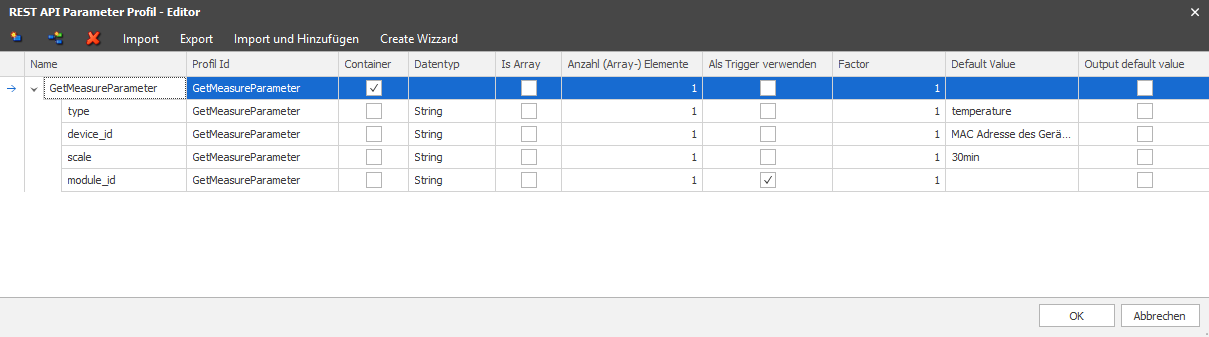
The response profile can be read out in the channel editor. The query path must be specified for this. In the case of Netatmo, the format "Application_url_encoded" must be selected. The profile set up above is selected for Parameter.

A query of the endpoint can now be carried out via "Query endpoint". To customise the parameters before the query, a window is opened so that values can be changed. If all parameters are available, the response appears as a JSON string. A descriptive name for the query can be entered under Profile name. Click OK to automatically create all data points as a response profile. The data points are also created according to the response profile.