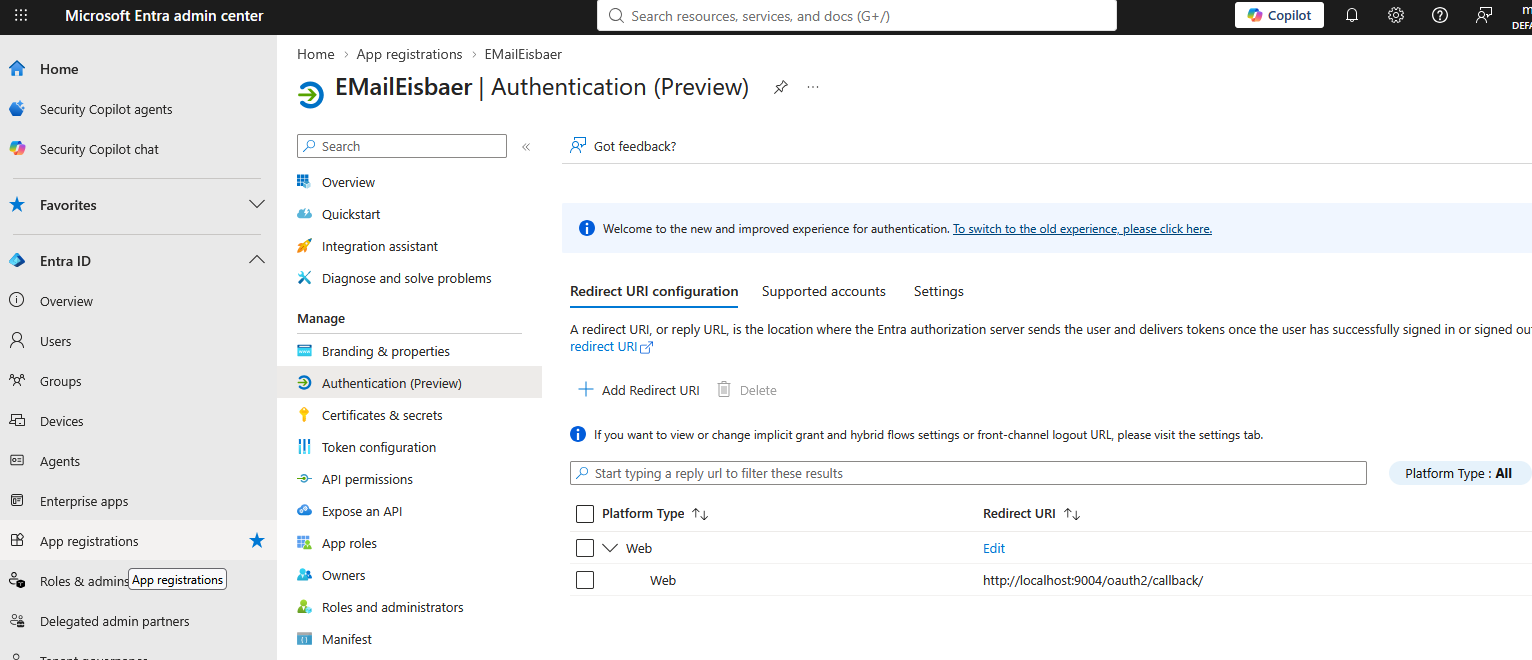
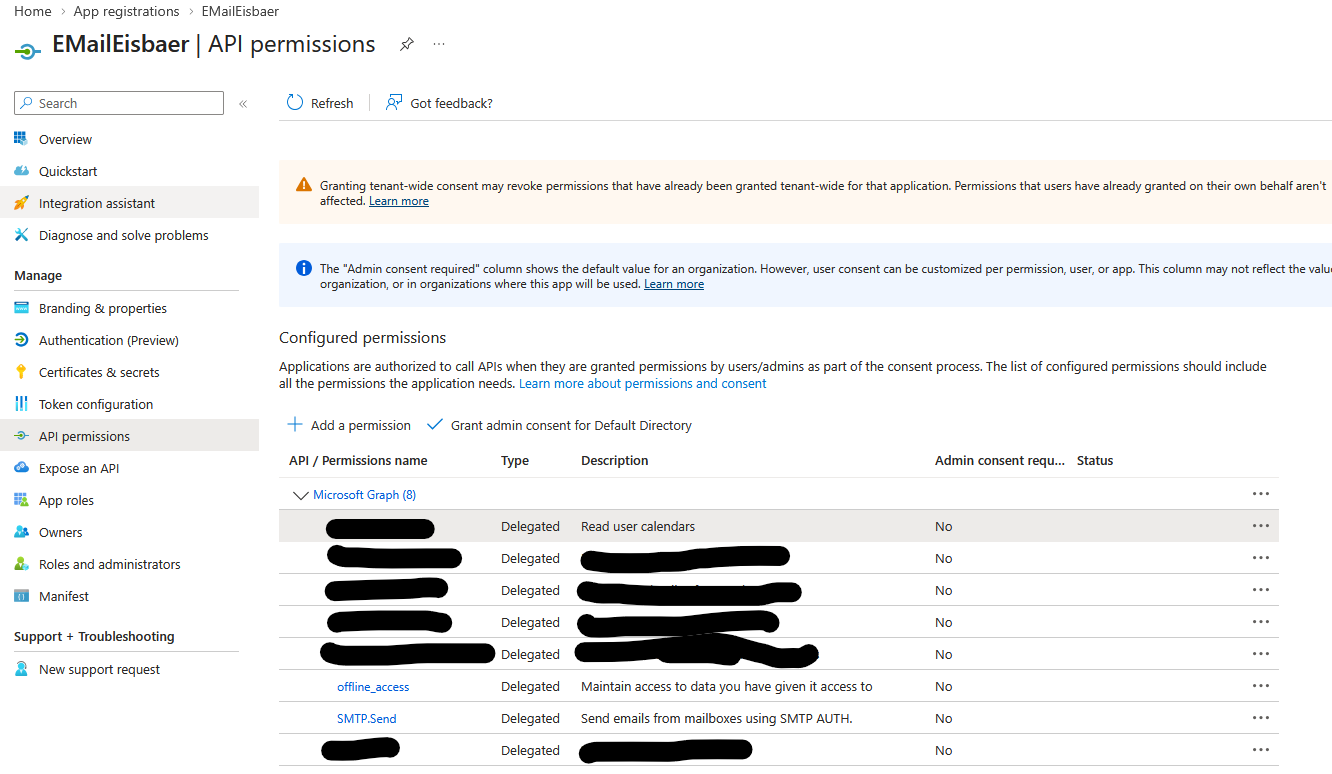
folgende Einstellungen müssen in https://entra.microsoft.com angepasst werden.
URL-Konfiguration
Permissions
Settings for M365 Account
Customize Mailbox Settings
•In the portal, go to Users > Active Users.
•Click the appropriate user and open the menu on the right.
•Go to the Email tab.
•Click Manage Email Apps.
•Check the box next to "Authenticated SMTP."
•Click "Save Changes" at the bottom.