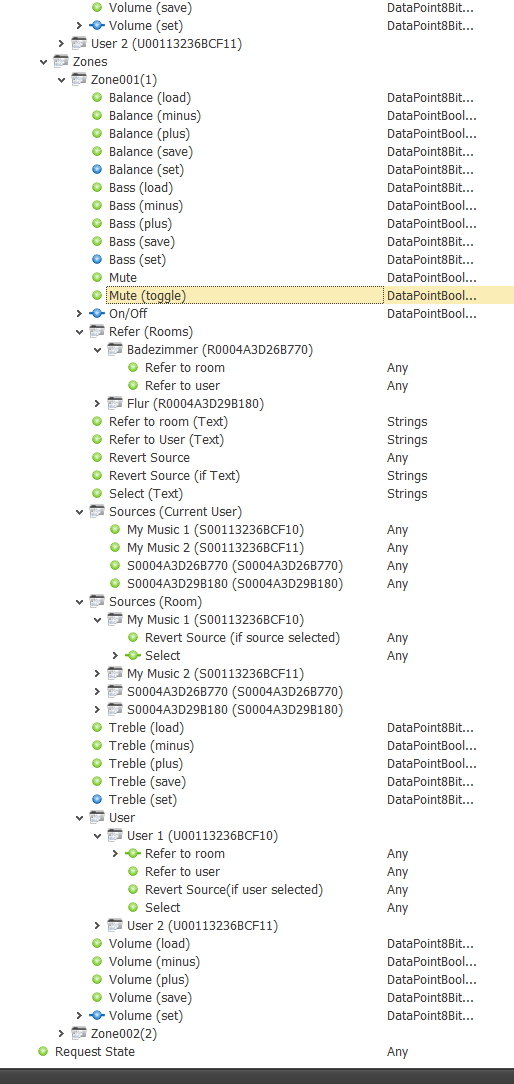
If this invisible server component is created, it counts like 200 components and is used to connect the Revox Voxnet system.
Properties
Name |
Standard |
function |
|---|---|---|
Server |
|
IP address of the menu server. Currently manual input - if necessary (additionally) expandable by discovery-functionality (selection as Combo-Box) |
Port |
11224 |
Port of the menu server |
Resource Items |
|
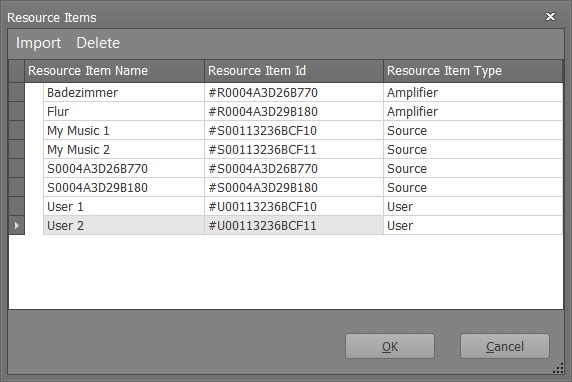
Opens editor to import the "resource items". These include the room amplifiers, the users as well as the sources. The editor displays the resources reported by the menu server, editing is not possible |
Zones |
|
Zones can be created via the zone editor. These can be named accordingly and the zone ID can be specified. The project engineer must ensure that the zone IDs match those of the zones configured in the menu server (there is no function to read the configured zones). |
Driver On/Off |
|
This can be used to set whether the component should be active when the system is started. |
Resource-Items (Example)
Data points of the component
Name |
Type |
function |
|---|---|---|
Debug |
Output |
Debug messages are output here. The diagnostic information is displayed there, linked to the [Signal] input of the log window. |
Dynamic |
|
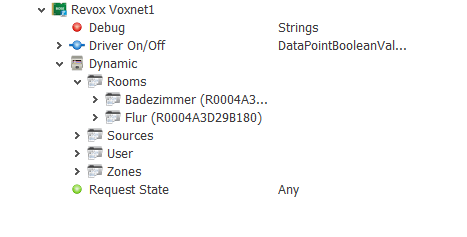
This folder contains the "dynamic" SPs, which are created depending on the imported resources. |
Events [Text] |
Output |
At this data point all telegrams (incoming and outgoing) are output as text. |
Send Messages |
Output |
Output of the sent commands. |
Request State |
Input |
This can be manually triggered a query all information (currently only for the "currently selected room / user"). |
Driver On/Off |
Bidirectional |
This allows the component to be switched on and off at runtime. |
Below the folder "Rooms" a folder for the imported room amplifiers is created. The designation here corresponds to <amplifier name (amplifier ID)>
Below the room folders are the room-specific SPs, some of which are grouped in further subfolders (see Figure 2).
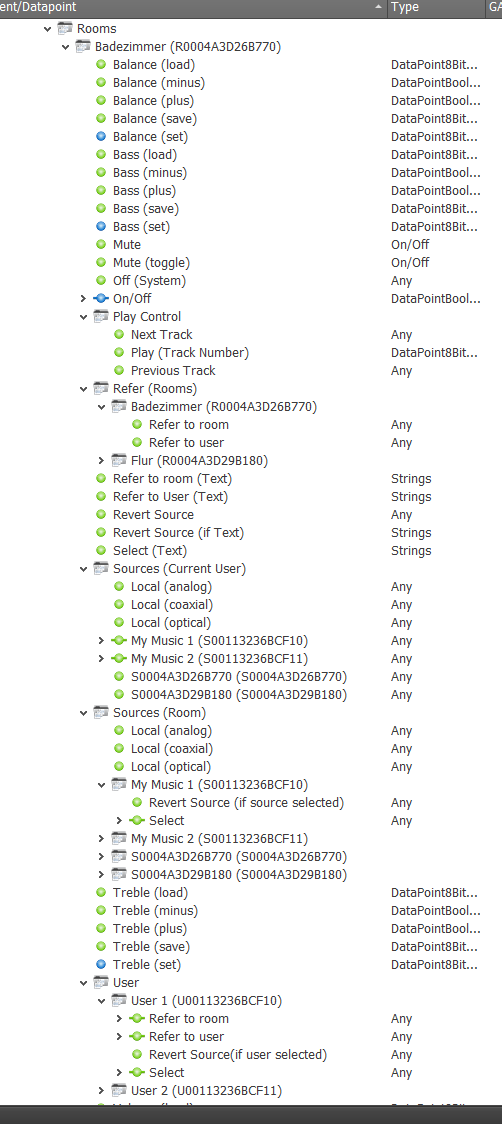
Figure: SPs below the room folder
•For the sound settings (volume, balance, bass, treble) 5 SPs are created (set value, save value, load value, increase value, decrease value). The SPs for set, load and save accept numeric values and send this value as a storage location to the Voxnet system.
•Refer to room (text): assign a resource to the respective room. This SP can be used to specify text that is appended to the <RoomId: room: refer: TEXT> command. The texts can be deposited on buttons, for example, or later can come from a combobox created dynamically, which at runtime can be linked with e.g. RaumIDs is filled.
•Refer to User (Text): analogous to above - except that the assignment is not made to the room but to its current user (<RoomId: user: refer: TEXT>)
•Revert Source: Last room source is selected (<RoomId: user: revert>)
•Revert Source (if Text): last space source is selected if the "text condition" is correct (if the text is a user ID, then the last source is only selected if the specified user is the current user) (<RoomId: user: revert: TEXT>)
•Select (text): Selects the resource specified by the text (user or source) for the respective room (<RoomId: select: TEXT>)
Folder Play Control
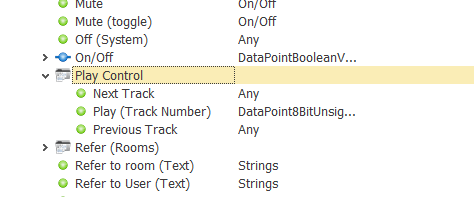
•Next Track: select the next track for the room (<RoomId: next>)
•Previous Track: selects the previous track for the room (<RoomId: previous>)
•Play (Track Number): selects the specified track for the room (<RoomId: play: TRACKNUMBER>)
Subfolder Refer (Rooms)
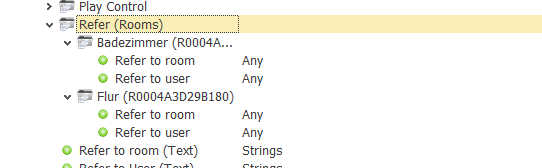
Within this folder all room amplifiers are listed again (in their own folders).
Refer to room: this SP assigns the user / source of the room selected in the subfolder to the room in whose hierarchy we are located. (<RoomId: room: refer: RAUMID>)
Refer to user: analogous to above - but the room source is referenced to the current user of the room (<RoomId: user: refer: RAUMID>)
Folder Sources (Current User)
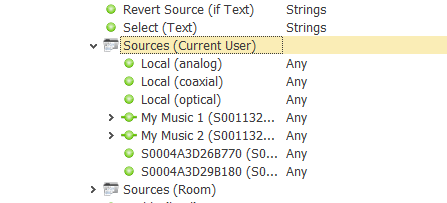
-This sub-folder lists the available sources (communicated by the menu server and additionally the local space sources). If one of these SPs is triggered, the current room user is assigned this source (<RoomId: user: select: SOURCEID> or <RoomId: user: select: @local; stream: LOCALSOURCE> in the case of local sources)
Folder Sources (Current User)
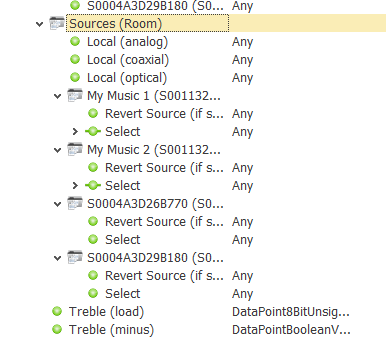
This folder lists the available sources (communicated by the menu server and additionally the local sources). For the local sources there is only one selection-SP (<RoomId: room: select: SOURCEID> or <RoomId: room: select: @local; stream: LOCALSOURCE> in the case of the local sources) while the (in their own subfolders) Remote sources also have a revert SP. If this is triggered, the last source for the room is selected if the current source is equal to the source whose Revert-SP was triggered (<RoomId: room: revert: SOURCEID>).
Subfolder user
In this folder you can find subfolders for all submitted users.
Refer to room: Refers this user to the room in whose hierarchy we are. (<RoomId: room: refer: USERID>)
Refer to user: Refers this user to the current user of the room in whose hierarchy we are located. (<RoomId: user: refer: USERID>)
Revert source (if user selected): Sets the last source of the room, if the user corresponds to the current room user (<RoomId: room: revert: USERID>)
Select: Selects the user as the current room user (<RoomId: room: select: USERID>)
Sources:
Below the folder "Sources" a folder is created for the imported sources. Below that are SPs for controlling each source
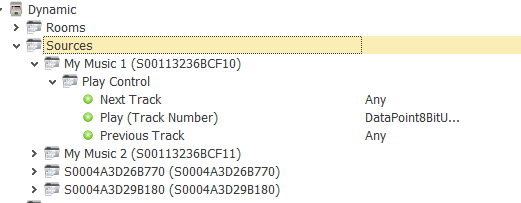
Next Track: select the next track for the source (<SourceId: next>)
Previous Track: selects the previous track for the source (<SourceId: previous>)
Play (Track Number): selects the specified track for the source (<SourceId: play: TRACKNUMBER>)
User
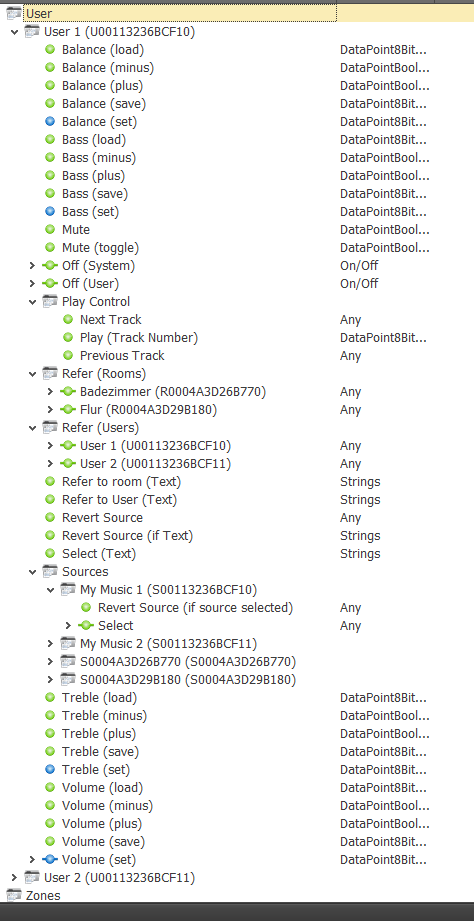
Below the Folder "User" a folder is created for the imported users. Essentially, the SPs are the same as those for the rooms, except that the SPs control the users (e.g., adjust the volume for each user, regardless of the room he is in)
The "refer" SPs refer the respective source to the user.
Zones
Below the folder "Zones" a folder is created for the defined zones. Essentially, the SPs are the same as those for the rooms, except that the SPs affect all rooms assigned to a zone.