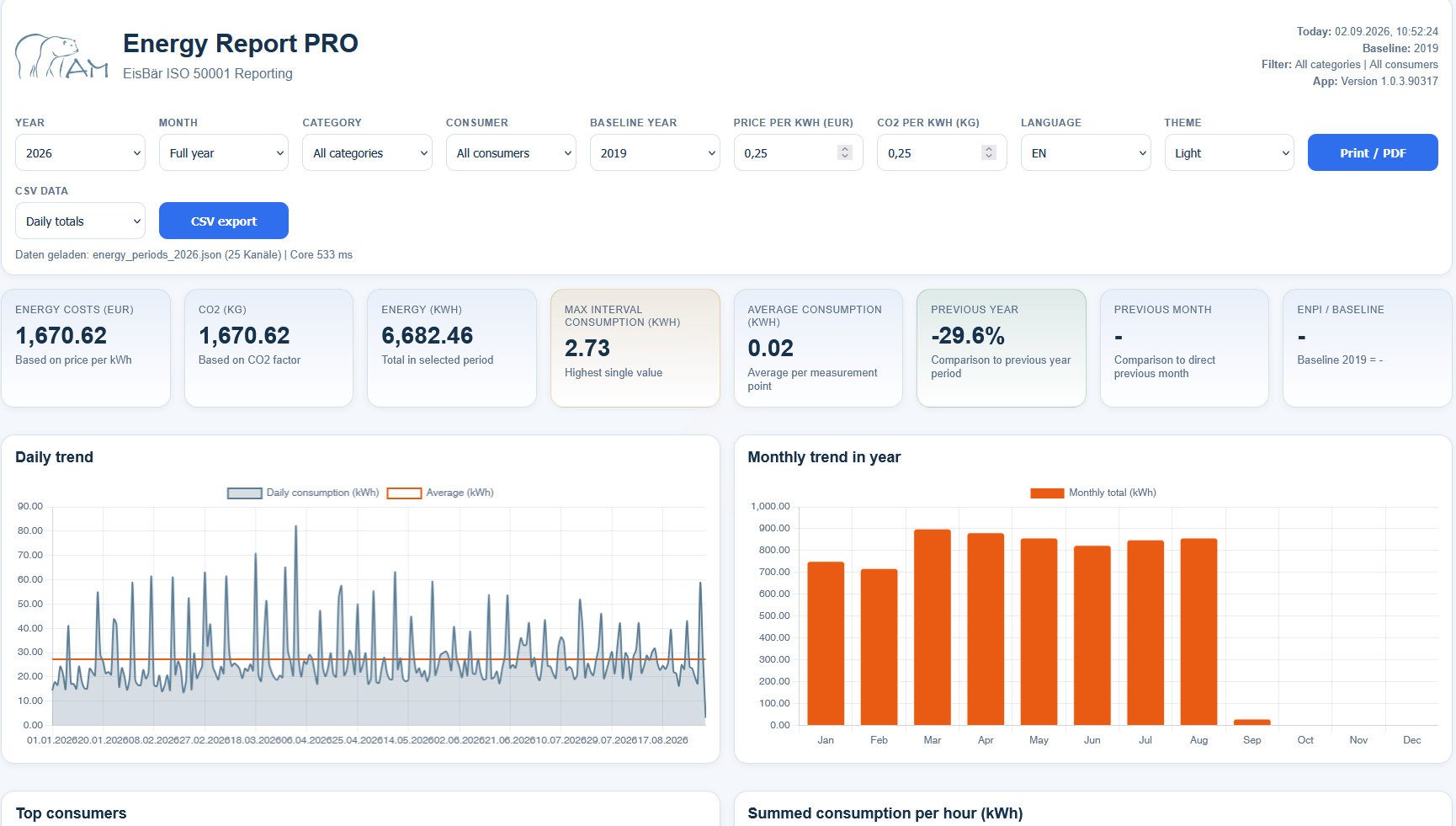
About the Energy Report
Storage path for the energy data so that the Energy Report can be generated. The file name must be "energy_periods.json".
C:\ProgramData\Alexander Maier GmbH\EisBär 3.0\www\Energy_Report\energy_periods.json
This is the default setting.
The stored consumption data is then automatically saved in annual files. The current year is updated every day at approximately midnight.
Open the Channel Config Editor located at "C:\ProgramData\Alexander Maier GmbH\EisBär 4.0\www\Energy_Report\ChannelConfigTool.exe".
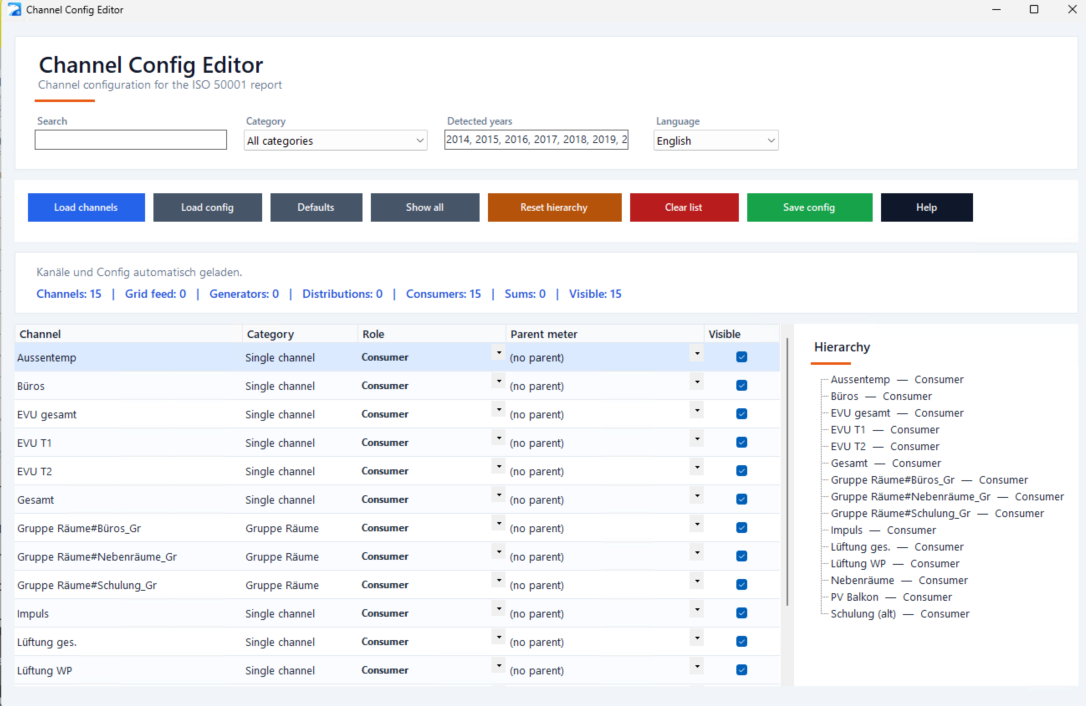
Purpose
This tool defines how the ISO 50001 report interprets each channel: whether it counts as a consumer in the balance, is the grid feed, a generator (e.g. PV), a sub-distribution, or a virtual category sum. You can also build the meter hierarchy (cascade).
Workflow
1. Check the working folder — it must contain energy_periods_YYYY.json files. Use "Choose folder…" to switch.
2. "Load channels" reads all channels from the yearly files.
3. Pick a role for each channel and optionally set its parent meter (cascade).
4. "Save config" writes channel_config.json. The report picks it up on next load.
Roles
● Grid feed — main meter / utility feed. Exactly one allowed. Root of the Sankey diagram.
● Generator — producing channel (PV, CHP). Shown separately in the report; does not contribute to consumption.
● Distribution — intermediate meter in a cascade (HV, sub-panel, DB). Has its own measurement but does not enter the consumption total to avoid double counting.
● Consumer — actual load (heating, ventilation, machine, group). Counted in the energy balance.
● Category sum — virtual aggregate channel for a category (name ends with "#"). Used as the display value for category analysis.
Hierarchy (cascade)
"Parent meter" assigns a channel to a parent. Example: HV South → main panel → grid feed. The hierarchy is shown as a tree on the right. Orphan nodes appear in their own group.
Save validation
Saving is blocked when:
• more than one channel is marked as grid feed
• a channel references itself as parent
• a parent reference points to a non-existent channel
• the cascade contains a cycle
• the grid feed has a parent
Tips
• New channels in the data are proposed as "Consumer" on next start.
• "Defaults" restores the default role for every channel (channels with # become consumers, names ending with # become category sums).
• "Reset hierarchy" clears all parent links; useful when restructuring.
• In the tree: clicking a node selects the corresponding grid row (and vice versa).
• The last used language and working folder are remembered.
Link in the Web Browser component or any external web browser
http://"IP ADDRESS OF THE EISBAER SERVER":8005/ISO50001_Report
Example: