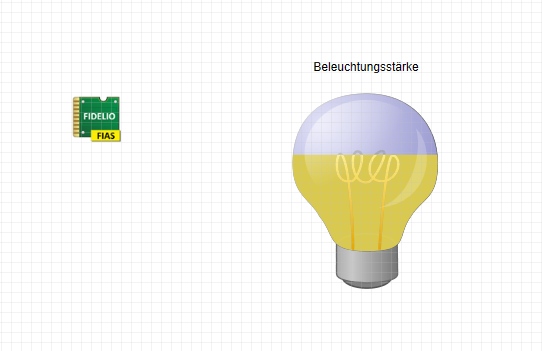
This is a minimal demo that shows how to use the Class of Service to set the illuminance. It is assumed that the lighting is set via a controller.
As an example, a room called "Gymnasium" has been created in the Room Editor:
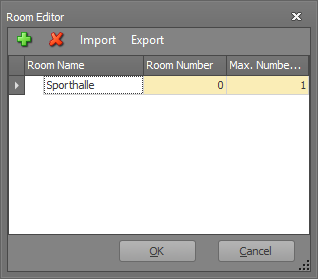
In this room you can according to the booking system guests check in and out. Since it is assumed that an organizer books the sports hall, the maximum number of guests checked in has been set to 1.
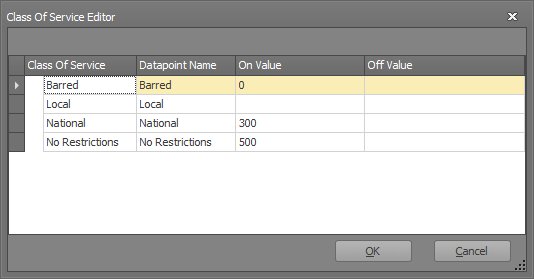
The default is that you can set the lighting depending on the booking on 300 lux, or 500 lux. In order to realize this, the Class of Service SPs have been adapted for this application. Here, Barred was used for out, National for 300 lux, and No Restrictions for 500 lux. The off-value has been set to no value, so no value is triggered by the old class of service if it changes.
Now the corresponding SPs can be connected to the controller one after the other:
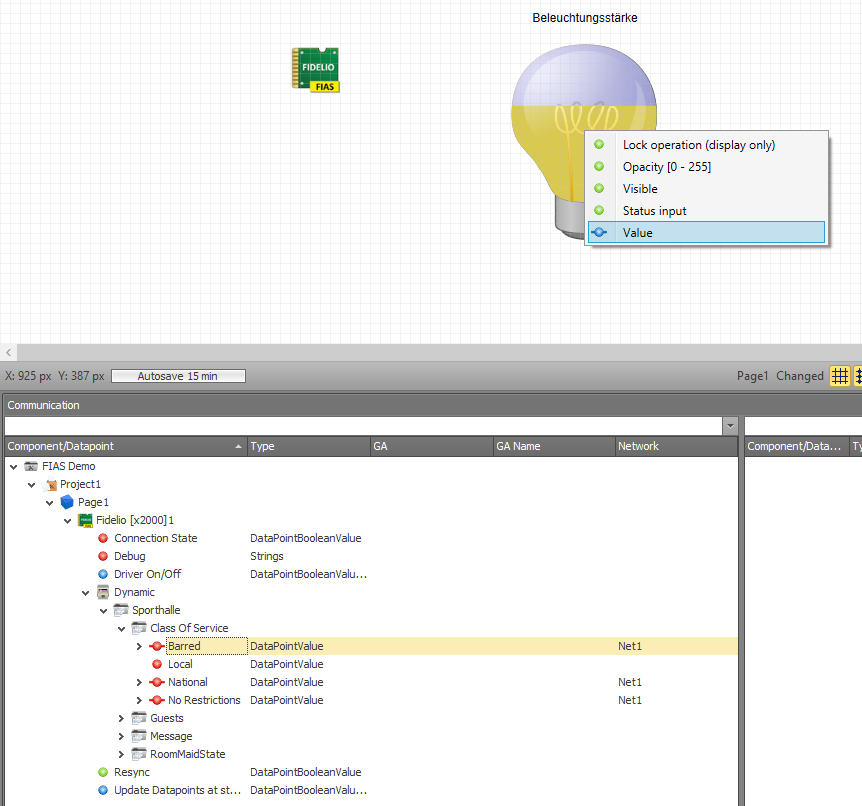
If the PMS receives notification that room number 0 (sports hall) has Class of Service 0 (Barred), then the controller is set to 0. If Class of Service 2 (National) comes up, the controller is set to 300. If Class of Service is 3 (No Restrictions), the slider is set to 500. Class of Service 1 (Local) was not used for this and is available for other applications.