This component is used to read out appointments for the different rooms of a Fidelio system.
Data points of the component
Name |
Type |
function |
|---|---|---|
Sync Response |
Output |
Over it the complete answer of the query is given out as XML text. |
Debug |
Output |
Error texts are output here. These may e.g. with the "Log window" component. Attention: Diagnosis or debug outputs are only intended for the case of an error. Please use only after consultation with the support team! These may significantly affect the performance of the service when used |
Calendar CSV Import |
Output |
Must be connected to the calendar. Over here, the appointment information is sent to the calendar. |
Sync now |
Input |
Starts a manual query directly. |
Driver On/Off |
Bidirectional |
(DE) Activate the component |
Properties of the component
Name |
Default |
Function |
|---|---|---|
Room mapping |
0 |
In this editor the mappings between the Fidelio room ids and the corresponding calendar outputs (names) can be made. Normally a 1:1 match is performed (Fidelioname = output name). However, if the option "Add event name to calendar output name" is enabled, the calendar output name must match the convention "Fidelio room name_event name". This makes it possible to divide a Fidelio room (e.g. gym) into separately controllable individual areas (e.g. Field1, Field2, ect.). |
Add event name to calendar output name |
|
If enabled, the event name separated by "_" is added to the room ID to determine the calendar output to be switched. |
Adjust start time [hour] |
4 |
Defines the start time (hour of the day) from which automatic synchronization with the Fidelio system should occur. |
Adjustment end time [hour] |
20 |
Defines the end time (hour of the day) at which the automatic adjustment with the Fidelio system should end. |
Adjustment Interval [min] |
10 |
Defines the polling interval (in minutes) at which the automatic adjustment with the Fidelio system should take place. |
Adjustment period [days] |
1 |
Defines the query period (how many days should be included in each query). |
Check-In Time [hour] |
16 |
Hour of the day when the check-in should take place. |
Check-Out Time [hour] |
11 |
Hour of the day when the check-out should take place. |
FIAS User |
|
Enter the FIAS user name |
FIAS Password |
|
Enter the FIAS user password |
FIAS Server URL |
|
Enter the complete FIAS Server URL |
Include events |
X |
|
Include guest reservations |
|
|
Reply language format |
de-DE |
Selection option for the language used by the system to communicate with the Fidelio. |
Add Event Info Board |
X |
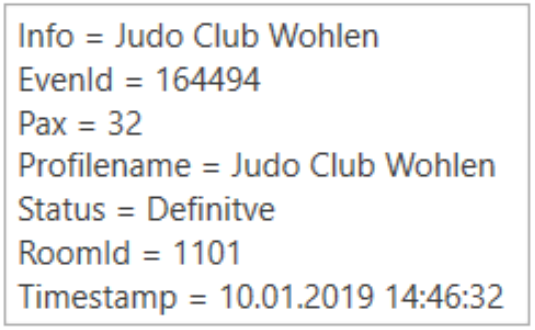
Option to add this information to the description in the calendar. (see example below) |
Add Event ID |
X |
Option to add this information to the description in the calendar. (see example below) |
Add number of participants |
X |
Option to add this information to the description in the calendar. (see example below) |
Add profile name |
X |
Option to add this information to the description in the calendar. (see example below) |
Add status |
X |
Option to add this information to the description in the calendar. (see example below) |
Add Room ID |
X |
Option to add this information to the description in the calendar. (see example below) |
Add timestamp |
X |
Option to add this information to the description in the calendar. (see example below) |
Driver On/Off |
X |
(De)activate the component |
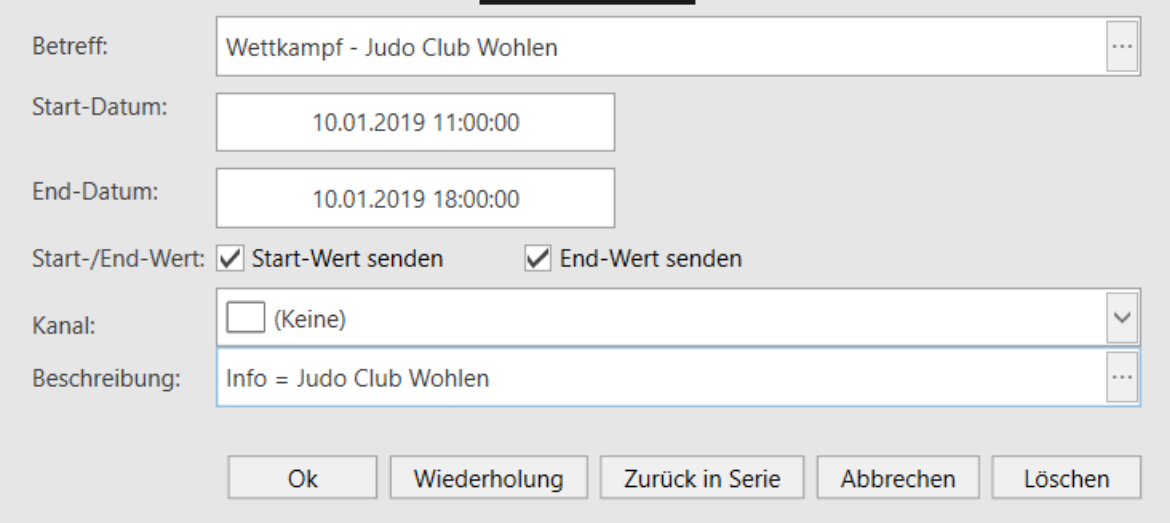
Example calendar entry with Description: