The DALI Emergency Lighting display is a visible client component. It is used for display and operation of a luminaire of the DALI emergency manager in table format. It allows to trigger all needed test and display current and past results. With drag and drop you can create your own report and print or send by email. Retesting individual or groiup of fittings, if the failed the test.
The software module performs the following tasks:
•Triggering emergency tests for groups or the entire installation of emergency lights via buttons.
oFunctional testing
oDuration test (full discharge, at least 90 minutes running time), usually every 6-12 months
oPartial duration test (short internal discharge test), usually monthly, time in minutes adjustable (1-90 min.) NOTE: Not part of a standard in every country !
oBattery test
•Status display running tests
•Display the test results incl. Individual error messages
•Possibility of manual re triggering of tests per lamp or group of lamps
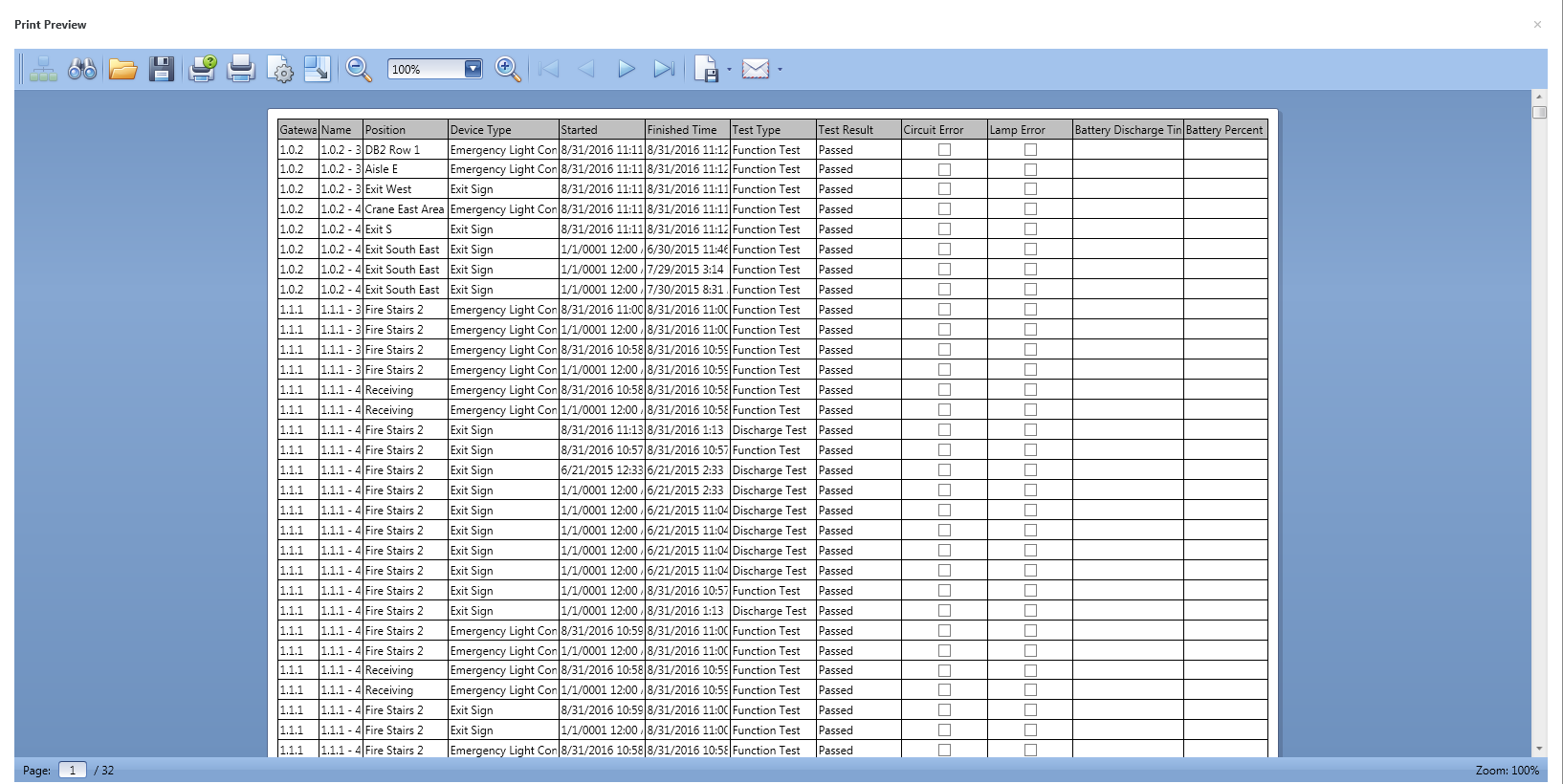
•Print of test reports, email test report as pdf
Link to the Dali Emergency manager with only one shared property.
Data points of the component
Name |
Type |
Function |
Mouseover |
Output |
Sends out an On signal, if you hover over the component with the mouse pointer. |
Opacity [0-255] |
Input |
Over a 1-byte value of 0-255, the Opacity [0-255] of the component can be changed. 0 is complete transparency. A value of 255 corresponds to the value that was set on the transparency in the properties of the component. If for example, the transparency in the properties of the component is set to 80%, this will be the level if you send a value off 255 to this data point. |
Visible |
Input |
If this input is not used, the component is always visible. The component can be made invisible with an off signal on this datapoint and visible with an on-signal on this data point. |
SPInOutDaliComponent |
Bidirectional |
Link between Display and Dali manager. |
Display
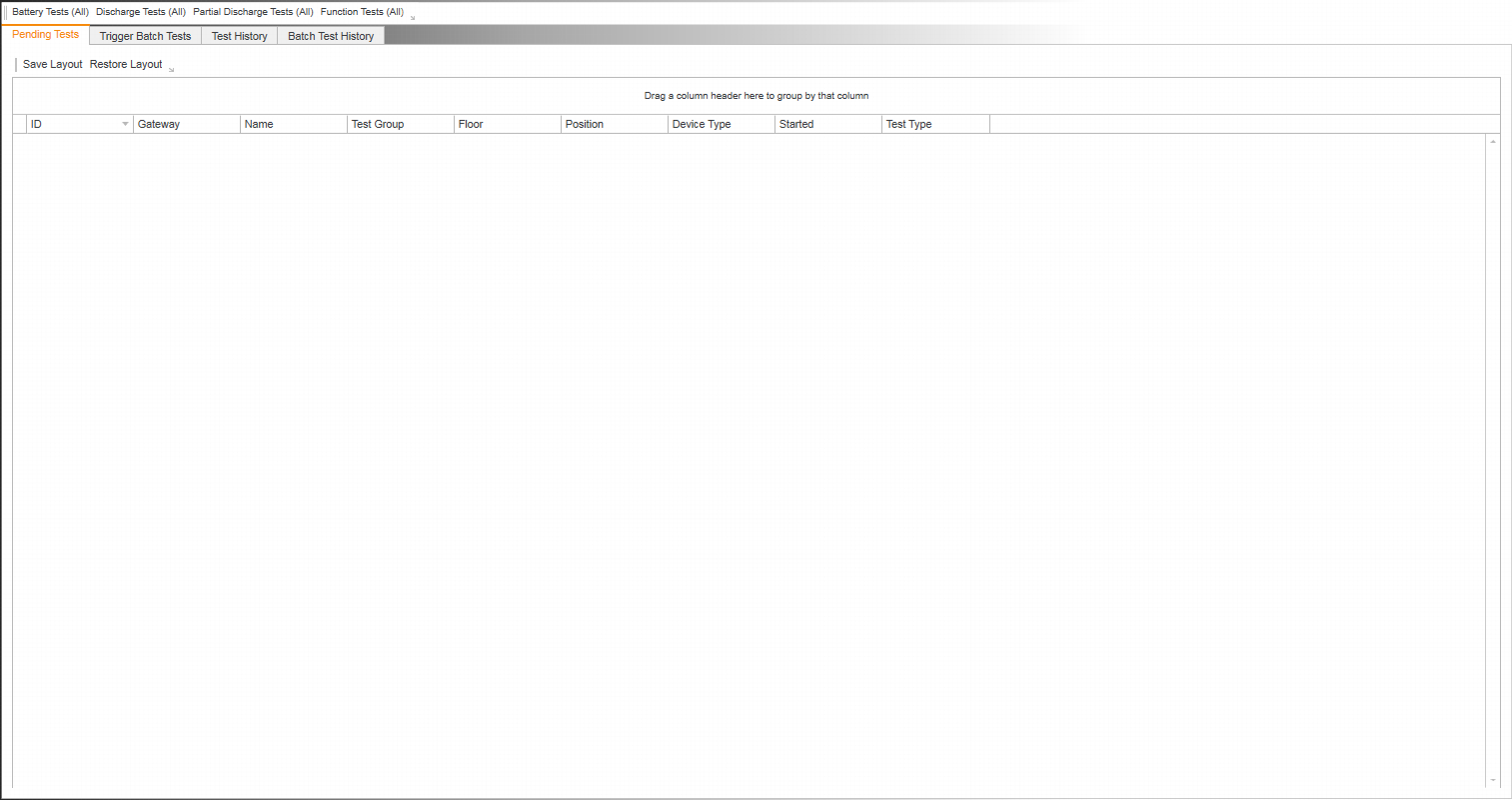
Display Operation
Name |
Function |
Battery Test (All) |
Trigger of Battery request for all fittings in the Dali Emergency lighting manager |
Discharge Test (All) |
Trigger of Discharge Test for all fittings in the Dali Emergency lighting manager |
Partial Discharge Test (All) |
Trigger of Partial Discharge Test for all fittings in the Dali Emergency lighting manager NOTE: Not needed in Australia ! |
Function Test (All) |
Trigger of Function Test for all fittings in the Dali Emergency lighting manager |
Arrow button |
Customise the Menu tab to show and hide Test Button |
|
|
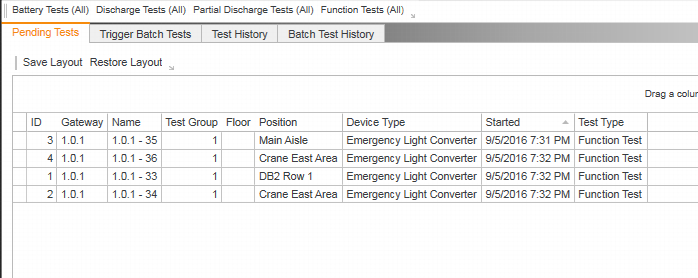
Pending Test |
Display of individual activ running tests |
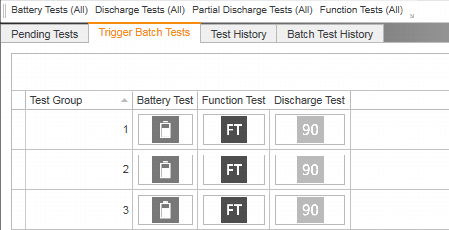
Trigger Batch Test |
Test trigger per group |
Test History |
Testreport |
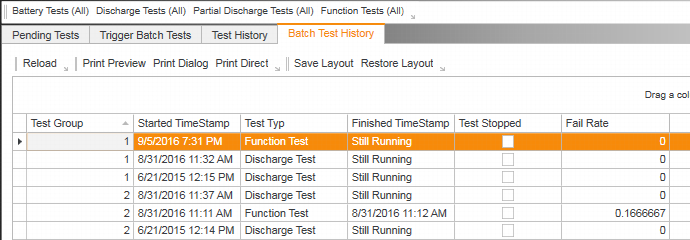
Batch Test History |
History of triggered Batch Tests |
Pending Tests
Trigger Batch Tests
Batch Test History
Test History
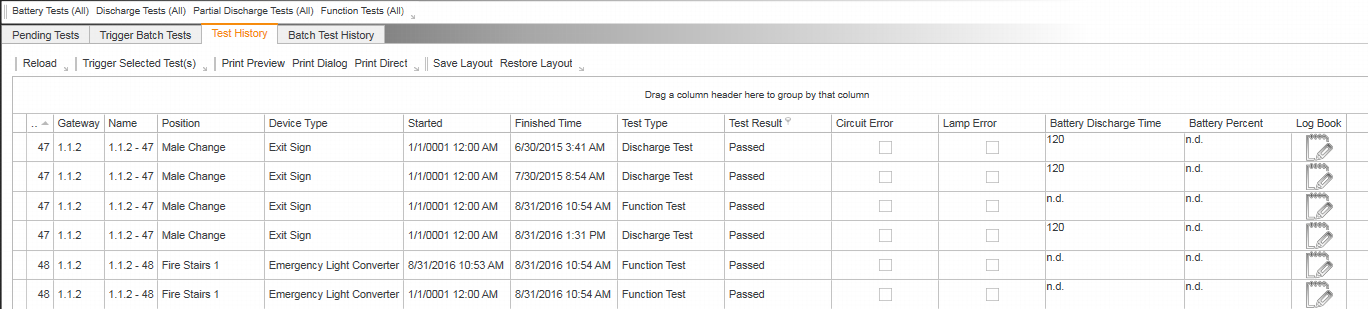
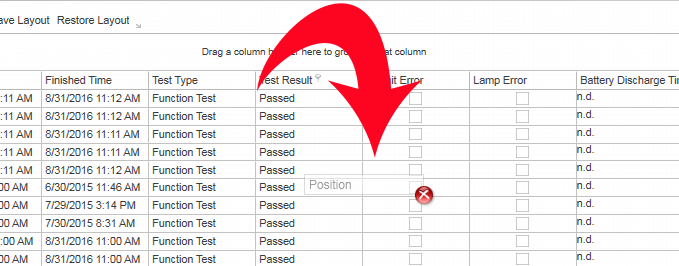
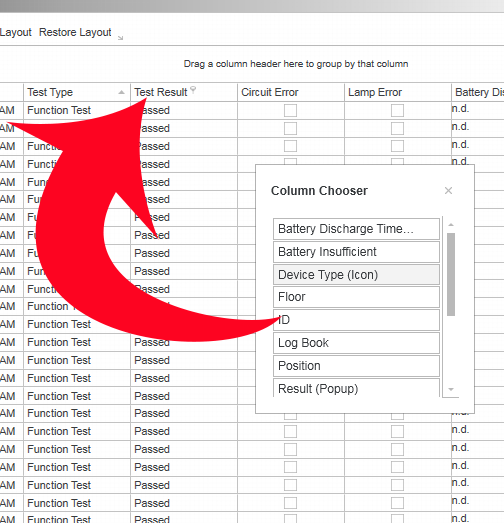
Every table can be customised by drag and drop. Just drag a column to the disired position. You can also drop columns off, if you don't want to have them in your report. By dragging a column into the header the list will be grouped by that column. Every coloum also provides filter capability. In the logbook you can record maintanance per fitting incl. maintenance history. (If user management is enabled the the records in the logbook are stamp with time and user)
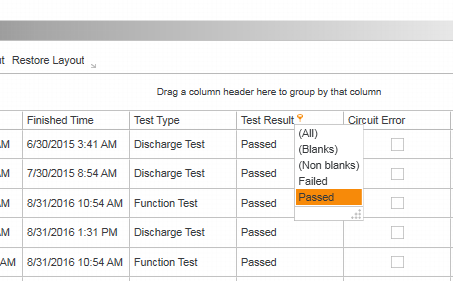
Filter (Funnel symbol right beside column name)
Drop column to customise table and report
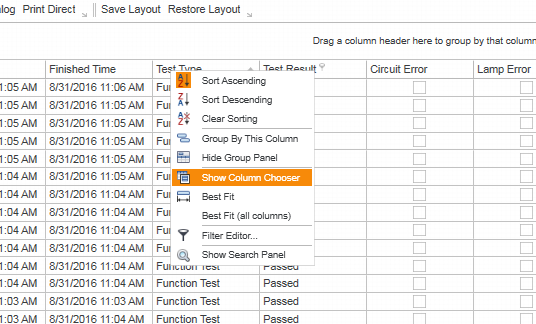
Right click in any column header will open up menu to bring back dropped columns
Log book