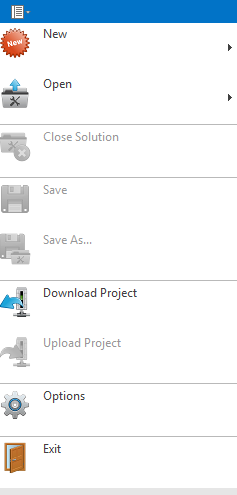
In the main menu ribbon, the most important and frequently used functions are included, such as opening a project or projects most recently used, the general settings of the editor, and the project is downloaded from a running server through a network connection.
More features become available after loading a project in the editor and are therefore grayed out.
File / New opens New Solution Wizard to create the solution. This is used to create pages. Additionally, navigation pages can be created automatically.
Using the Tools menu, you can enhance pages and automatically update the navigation.
"Open" opens an existing project. It is also used to start project conversions. To do this, you must select the source Eisbär version as the file type.