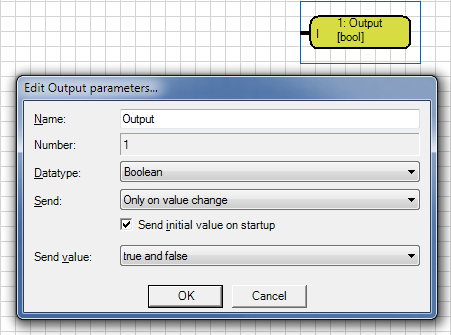
You can open the parameter window of the component with the command "parameters ..." in the Context menu (right mouse button), or double-click on the component visible.
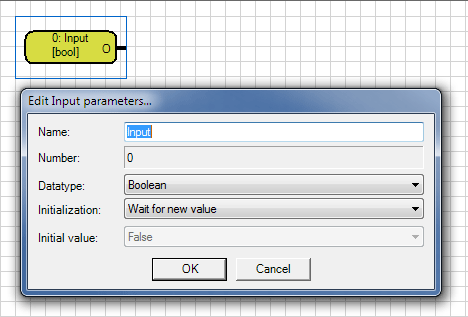
In the parameter window, the specific properties and behavior at the start-up of the logic is defined.
Name
The name of the component can be chosen freely. This name is displayed as a data point name of the component.
Datatype
With this parameter, the data type is defined. The data type range covers all possible EIB/KNX data point types (DPT).
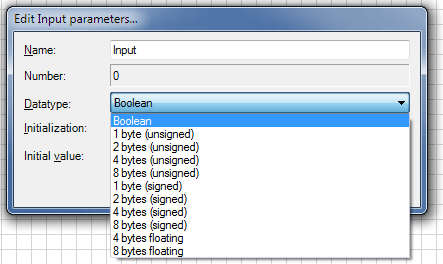
Note: For on/off signals, use the default data type "Boolean". For 8bit-dimming values use the data type 1 byte (unsigned) and for measured values, e.g. Temperature values, the data type "4 bytes
floating point".
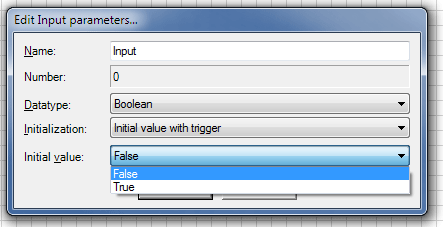
Initialization
The behavior of input, at the start of the graphical logic, is defined with this parameter.
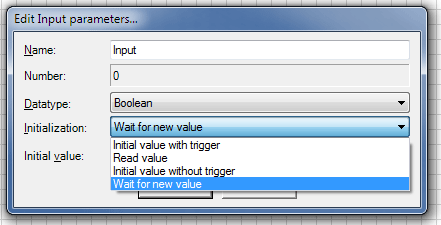
Initial value with trigger |
the initial default value is passed to the following gate and immediately triggers a calculation |
Initial value without trigger |
the initial default value is passed to the following gate but triggers no calculation |
Read Value |
the input value is read from other components outside the grafical logic or read thru the bus driver |
Wait for new value |
the input is passive until the first time, a value of is given from outside to the input |
Initial value
This parameter is the start value of the input when using the initial value. The adjustable range dependents on the data type.
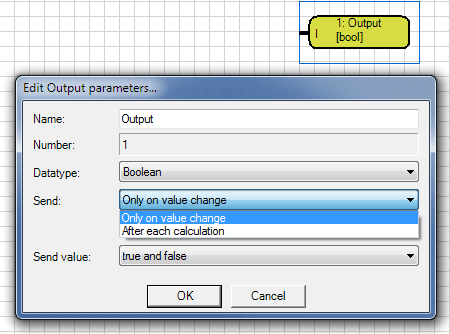
Send
With this parameter you select when the value is sent at output, after every calculation or only when the value is changed.
Send Value
This parameter defines in Boolean data type, if all conditions are sent, or only certain states.
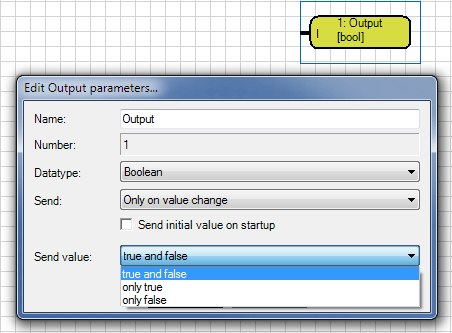
NOTE: This filter defines the send behavior. It sends only if the calculation requires it. If the output is set to "After each calculation" and contains "only ON" , then with a result of OFF nothing will be sent.
When the calculation returns two successive "ON"s , both commands will only be sent with "After every calculation". In the mode "Only after value change" it is only send at the first time.
Send initial value on startup
With this parameter set, the status of the output is actively sent at start the logic of. When not set, the output waits until the first change or calculation. Setting the parameter is sensible when a
afterswitch function in the visualization is set to a defined status. If in the input of the calculation chain, which defines the output, the parameter "Initial value with trigger" is set then this makes no
sense because the output will be set in any case.