With KNX IP-Secure, communication in the IP network is encrypted. The data in the twisted pair wiring is not encrypted.
Preparations in the ETS 5 for a KNX IP Secure connection to work.
- The ETS project must be password protected
- For each KNX IP Secure device the factory key (enclosed with the device) must be entered.
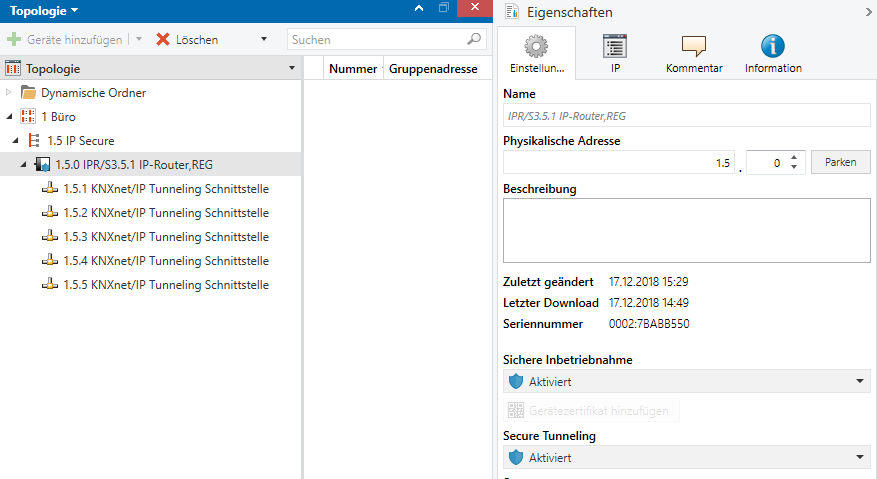
- Secure must be activated in the device properties of the KNX IP Secure Router
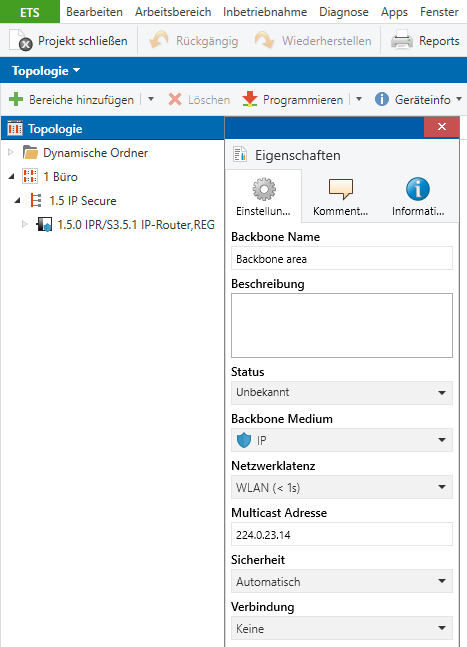
- In the topology view, IP Secure (blue shield IP) must be set for "Backbone Medium". These properties can be accessed by clicking on "Topology" (below "Add area").
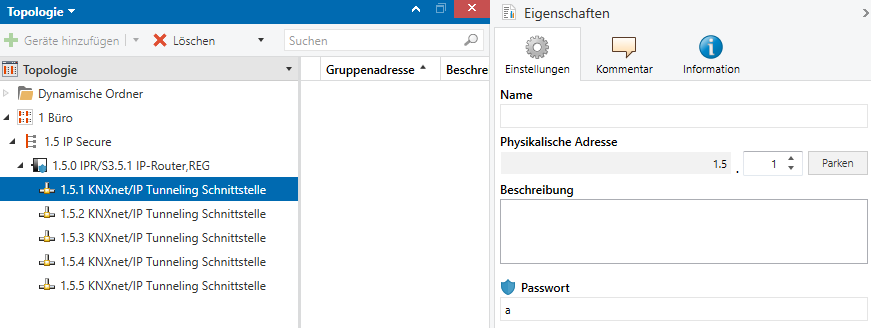
- When connecting via "tunneling interface", a password must be entered for the interface used.
- Under Overview \ Projects -> Security, the keychain for the corresponding project must be exported. Either the whole project (IP routing and all tunneling interfaces) or individual tunneling interfaces can be selected.
- The file must be password protected. This password will be needed later in the Eisbaer.
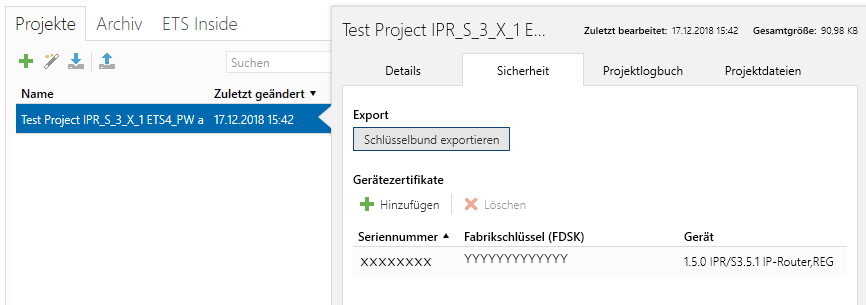
- All required keys are printed out in the project under Reports \ Project Security.
Settings in the EisBaer KNX driver:
routing
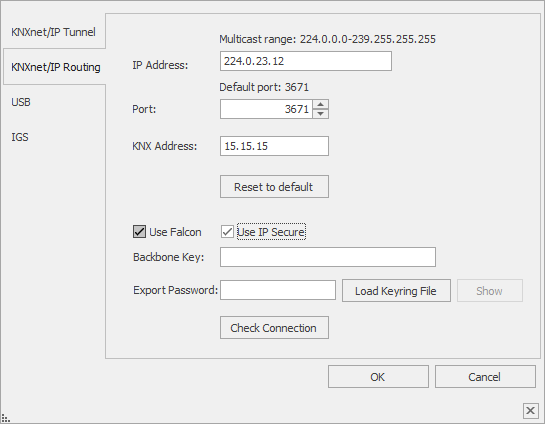
The correct multicast IP address must be entered, and with the IP Secure activated, the backbone key must be entered from the safety report.
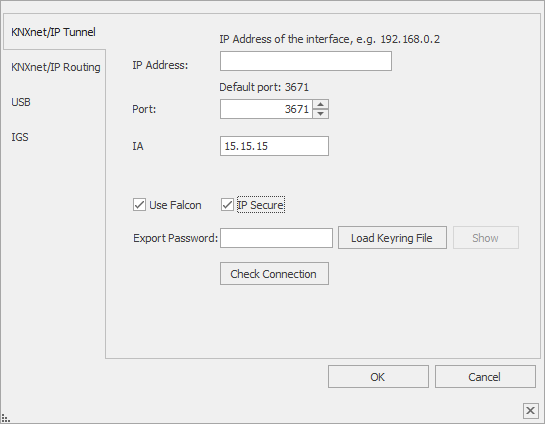
You can also import the keychain (* .knxkeys). For this, the export password of the keychain export of ETS5/6 must be entered.
The connection can be checked with "Check Connection".
tunneling
For the tunneling connection, the IP address and the correct KNX address of the selected tunneling interface must be set.
The keychain must be imported. For this, the export password of the keychain export of the ETS5 must be entered.
The connection can be checked with "Check Connection".