For a complete visualisation of an ETS installation, it is necessary that the telegrams from the line couplers are allowed through. For this purpose, a dummy device is inserted in the ETS project that contains all the group addresses required by the visualisation. In this way, the ETS can take the group addresses of the dummy device into account when creating the filter tables.
Fill visualisation dummy helps to link a dummy device in the ETS for a visualisation with a list of group addresses. The product data for dummy devices are available for download in the ETS5 online catalogue, from various manufacturers (filter by dummy).
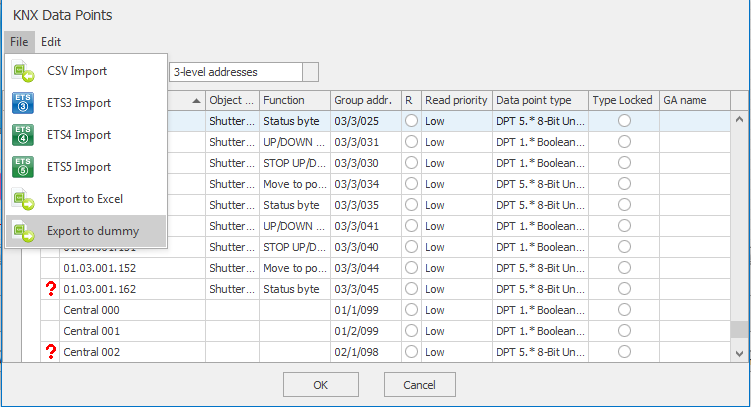
The EisBaer export for dummy only takes over the linked data points.
The information about the group addresses is exported within the KNX driver in the EisBaer Editor.
For this there is an ETS5 addon which can be purchased at https://my.knx.org/en/shop. Direct link to Fill Visualization dummy.
Excerpt from the ETS Help:
In some projects there are so-called dummy devices which (mostly) are located in the area line, the purpose here is to see this GA only on the area line (ie the telegram), e.g. for visualizations. Through this "artificial" assignment of GA's to GO's, filter tables of the couplers are adjusted accordingly (opened).