The project window is a tree representation of the pages and components contained in the project. The page names can be changed during creation or by right-clicking on the page.
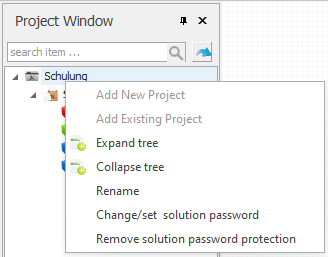
It is possible to protect a project with a password. In this way, projects can be protected against unauthorised changes. The function is located in the right-click menu of the project and only has an effect in the editor when opening the project.
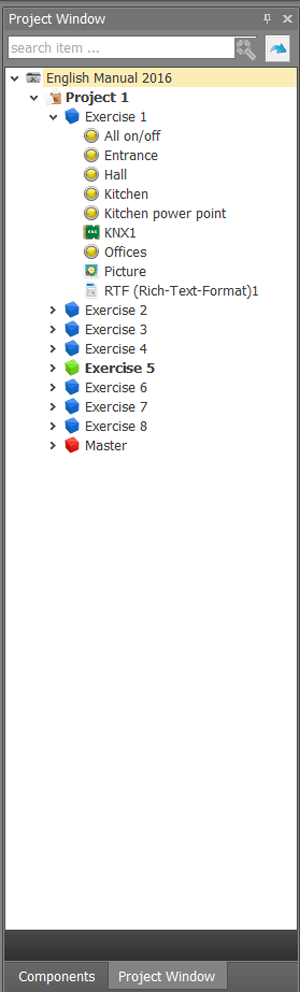

A master page is a page that can serve as a background for one or more other pages. Components on a "master page" appear "behind" components on the current page. It is suitable for backgrounds, general design, for central buttons and navigation components. In the properties of each visualisation page (blue), you can assign a master page as a background (master page ID).

The start page can be reset by right-clicking on a (blue) page. The colour then changes from blue to green.
If permissions are assigned via the user administration, individual start pages can be defined for each user created. See chapter User management.

One page (blue) is the actual visualisation page and contains all operating elements for control. This page can also be copied completely via the right-click menu. Links within the page remain (new network).