Instructions for setting up a DoorBird BirdGuard B10x camera:
The camera / intercom configuration is done with the Doorbird app, which is available on the Apple App Store or Google Playstore.
|
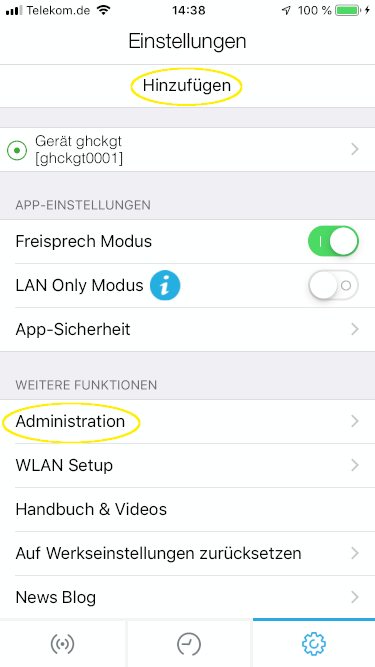
After the start, select the first installation.
Add device. Scan or enter the QR code of the Digital Passport.
Under Further functions, select Administration. Scan or enter the QR code of the Digital Passport. |
|---|---|
|
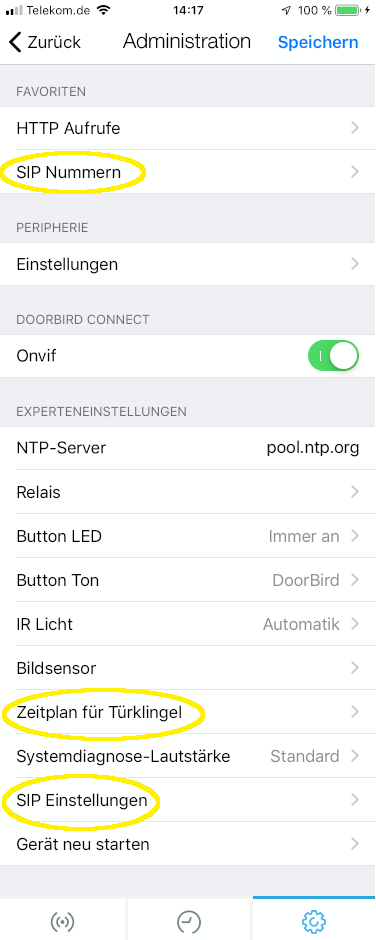
Follow the sequence
1. SIP settings
2. SIP numbers
3. disable external video service (NVR)
4. doorbell schedule |
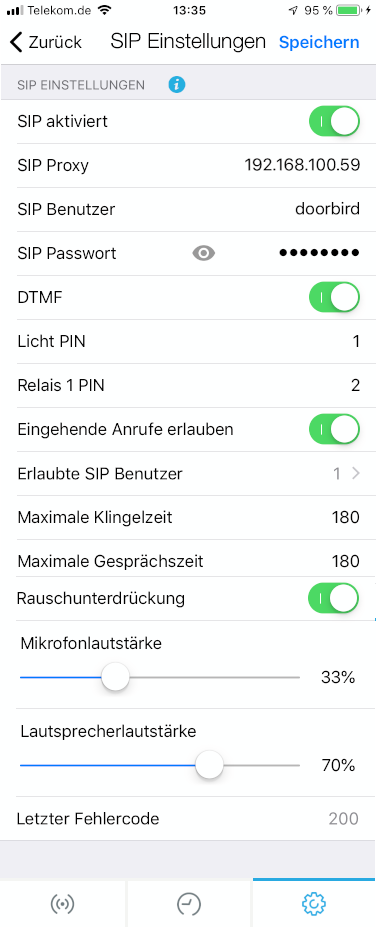
Next, the SIP settings are set: |
|
|---|---|
|
- Activate SIP
- SIP Proxy: IP address of the SIP server (e.g., EisBaer SIP server)
- Enter SIP user and password as deposited in the SIP server
- DTMF: activate and enter pins; ATTENTION in the EisBaer SIP client must be entered after the PIN #
- Allowed SIP users: here is the one or more SIP clients registered, which the You can call DoorBird directly, e.g. eisbaer@192.168.100.59
|
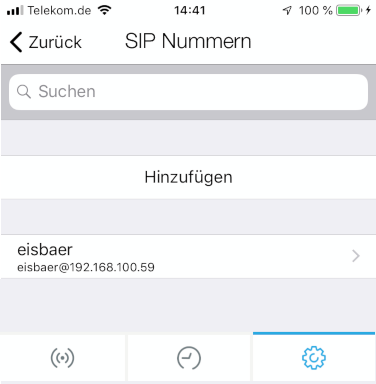
Next, the number to be called when ringing is set |
|
|
Here is the number of Eisbaer Video door intercom, as deposited in the SIP server register |
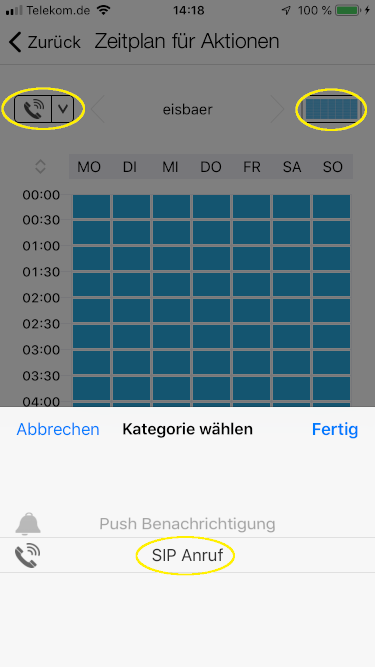
Finally, the schedule for SIP calls must be set.
Properties
Name |
Standard |
function |
|---|---|---|
Registration Required |
x |
If the check mark is set, the video door station must be registered with the proxy (switchboard / exchange) with name and password. |
Display Name |
eisbaer |
Any name that is displayed when connecting to the remote station. |
User Name |
eisbaer |
Name of the user in the server domain. Mostly identical to the registration name. |
Register Name |
eisbaer |
Name for registration at the proxy. |
Password |
eisbaer |
Password for registration at the proxy server (switchboard / exchange). |
Domain Server Host |
192.168.100.59 |
Domain of the Proxy, sometimes referred to as Realm. In many cases, the IP address of the proxy is also entered here. |
Proxy IP |
192.168.100.59 |
IP address of the proxy server (switchboard / exchange). |
Proxy Port |
5060 |
SIP port of the proxy server for registration. |
DTMF Key |
2# |
DTMF signal tone sent to open the door. |
DTMF Light |
1# |
DTMF signal tone sent to switch the lighting. |
Number |
doorbird |
Internal number or name of the station on the proxy server (switchboard / exchange). |
IP Camera URL/Pfad zum MJPG-Stream |
|
URL / path to the MJPG stream in the IP camera, e.g. http: // <IP> / <xxxx.mjpg path /> |
IP Camera User Name |
|
Username to log in to the camera if anonymous access is not possible. |
IP Camera Password |
|
Password of the user to log in to the camera. |
IP Camera Pictures per Second (0-20) |
5 |
Refresh rate of the image display. The set number of pictures of the camera is displayed, per second. 0 = speed of IP camera |
Audio-Codec: PCMU
IP Camera:
http://192.168.100.59/bha-api/video.cgi
Username: App user from the document "Digital Passport"
Password: App Password from the document "Digital Passport"
The IP address can be determined by the following query, or with an IP scanner.
A test of the Doorbird microphone unit is possible via the online portal. To do this, enter the MAC address and the token of the camera at: https://www.doorbird.com/de/checkonline.
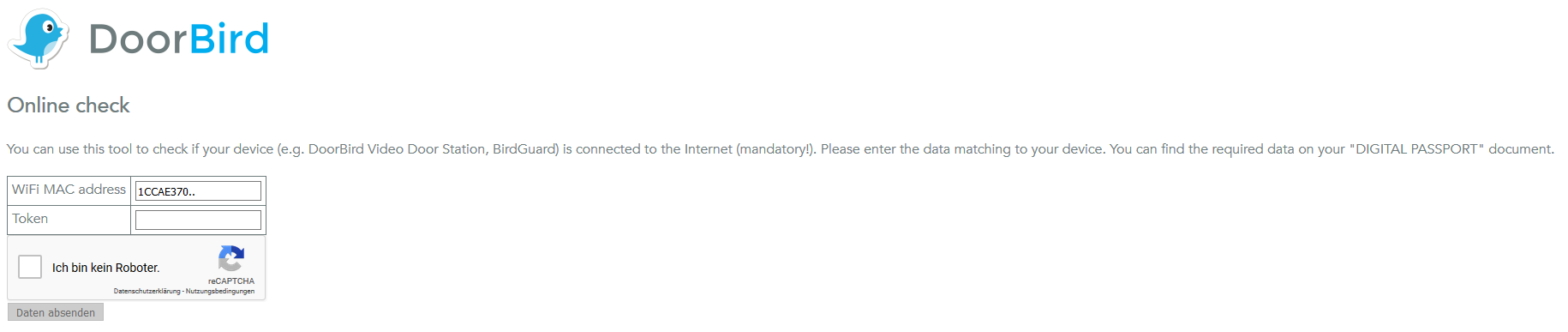
Thereafter, further information about the system will be displayed.
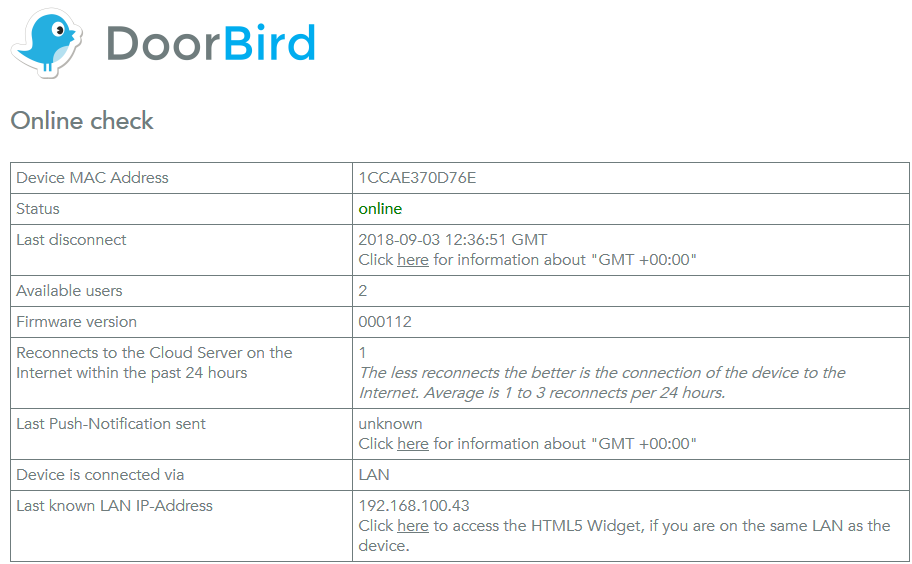
By clicking on "here" in the last line, the camera is called up and the video stream is displayed.
To do this, enter the app username and app password.
For operation under IOS or Android we recommend to use the Doorbird app. This can be accessed via the Start Program component from the Polar Bear app.
Available video stream:
http://<User> : <Password> @ <IPADDRESS>/axis-cgi/mjpg/video.cgi
rtsp://<User> : <Password> @ <IPADDRESS>/mpeg/media.amp
http://<User> : <Password> @ <IPADDRESS>/bha-api/view.html
http://<User> : <Password> @ <IPADDRESS>/bha-api/video.cgi
The video transmission on the DoorBird BirdGuard B10x was very time-delayed (<10 sec). The web browser was the best.
As of: 09/2018