The Modbus TCP IP gateway is used to connect Modbus slave devices to the Modbus master driver.
For this purpose, the IP mode "TCP" is set.
Technical data:
Network connection via RJ45 10/100 Mbps
Serial standard RS485, Data+, Data-, GND
Baud rate from 300 to 230 400bps
Direct (TCP <-> RTU) or inverse (RTU <-> TCP)
15 parallel TCP connections
Power supply 9 to 26V DC
Operating temperature from 0 to 55°C
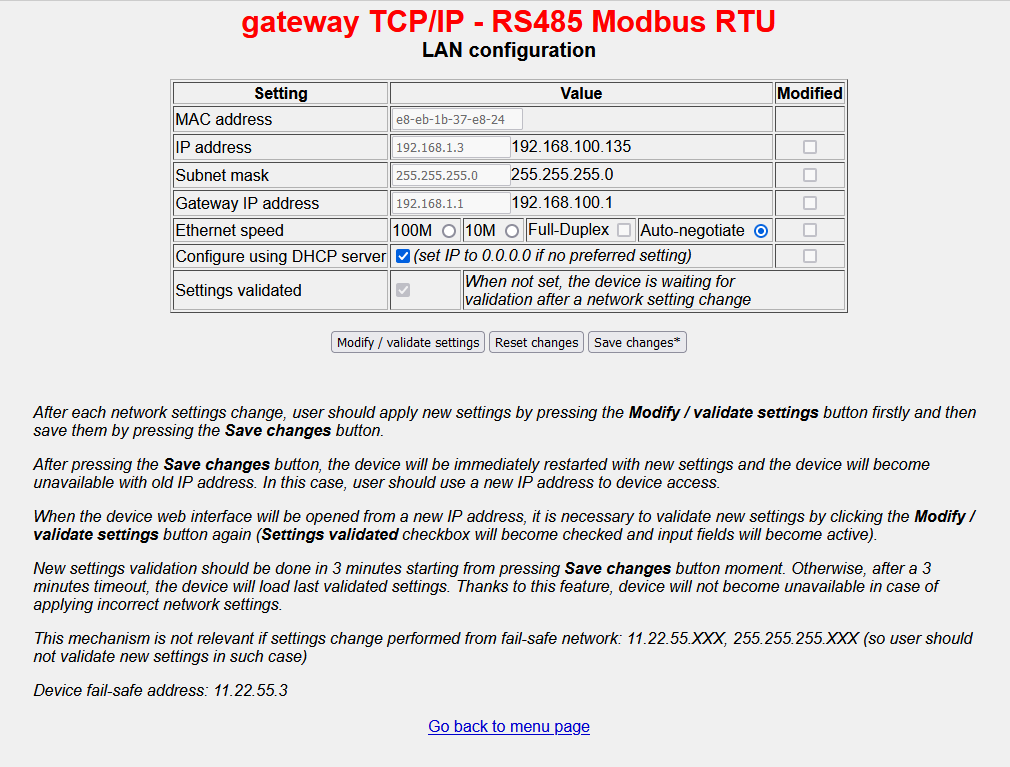
When delivered, the network settings are set to DHCP. This means that the gateway automatically receives an IP address from the DHCP server. Afterwards, the web interface of the interface can be called up via the assigned IP address. If there is no DHCP server in the network, the interface can be reached with the IP: 192.168.1.3 (subnet mask: 255.255.255.0). The IP address should be statically assigned during commissioning.
Notice:
If the IP address has been changed, the interface is restarted via "Modify / validate settings" and then "Save changes". The changes must then be confirmed again (within 3 minutes of the restart) by establishing the connection with the new IP address, pressing "Modify / validate settings" again and then saving.
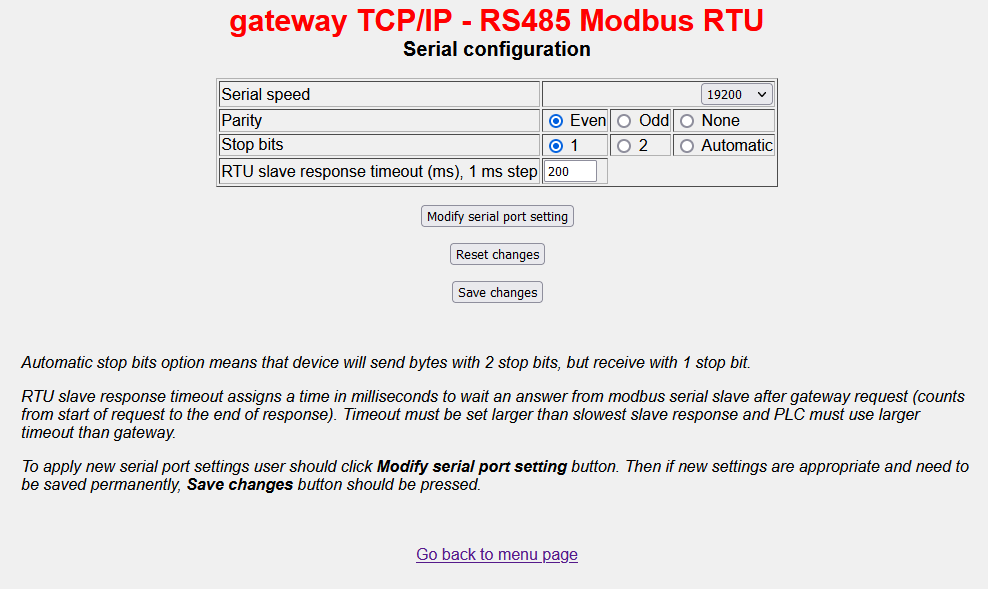
Set the baud rate, parity and stop bits according to the connected Modbus device.
Note:
If the number of stop bits is set to "Automatic", the gateway sends with 2 stop bits, but receives with 1 stop bit.
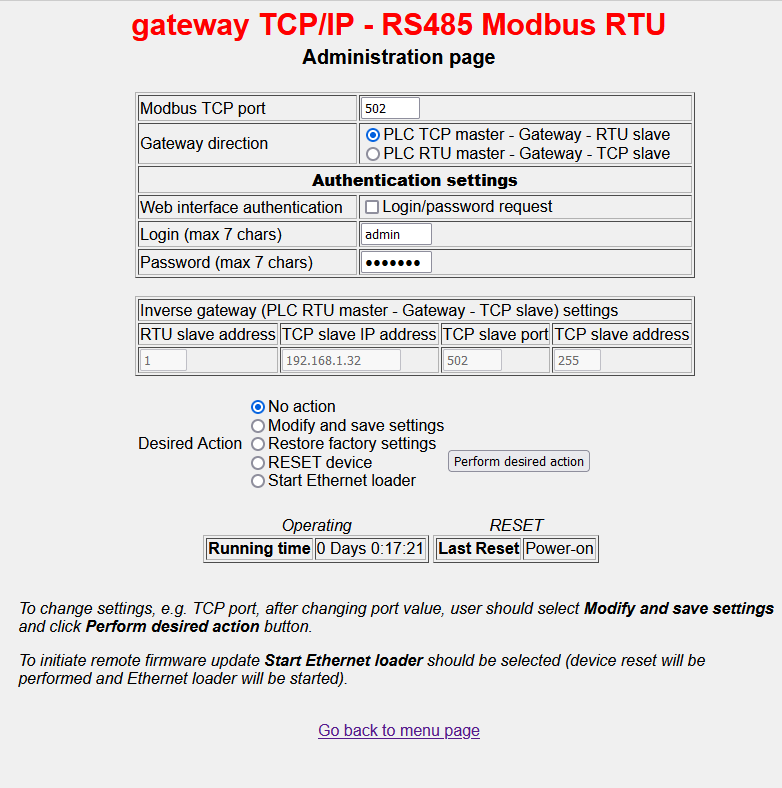
The port addresses of the interface and the EisBaer driver must be identical, e.g. 502.
To connect to the EisBaer Modbus master, "Gateway direction" must be set to "PLC TCP master - Gateway - RTU slave".
On the EisBaer driver setup the mode TCP has to be set.