If the video door intercom is to be used via the Android or iOS app, the following points must be observed:
The "App list view" component must have been created in the project.
A new node type "Control element" of the type "Door intercom" is created in its settings.
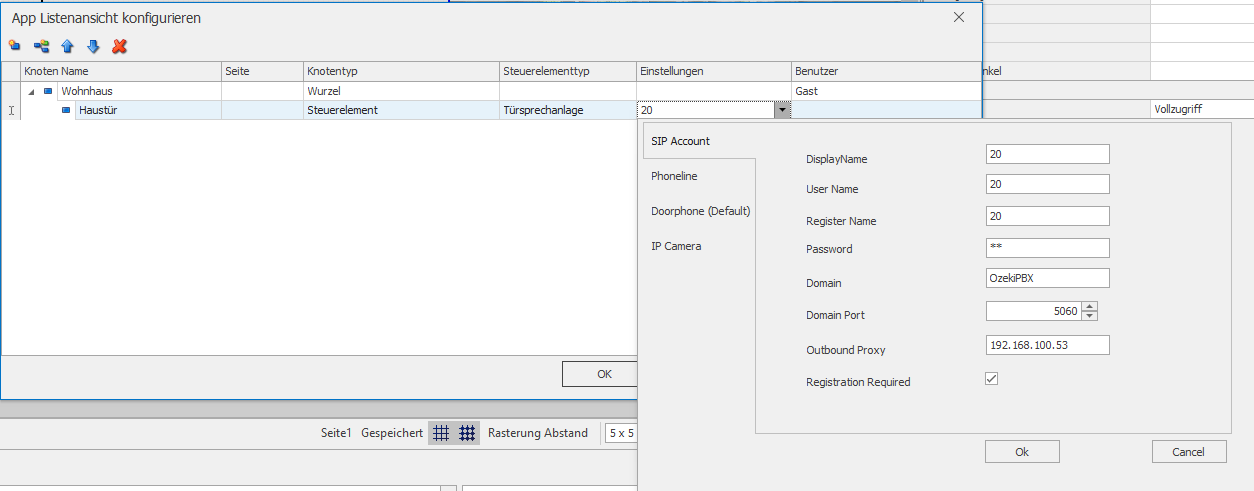
Once the project has been started on the server, the local settings for the door intercom can be made in the app. Each SIP client requires a unique identification. To do this, the data for this device is entered in the app settings (cogwheel) --> Eisbaer Solutions --> Project name and the corresponding door intercom (name assigned in the app list view). In this example, the "Video door intercom1" is also listed. This is for the video door intercom in the Windows client.
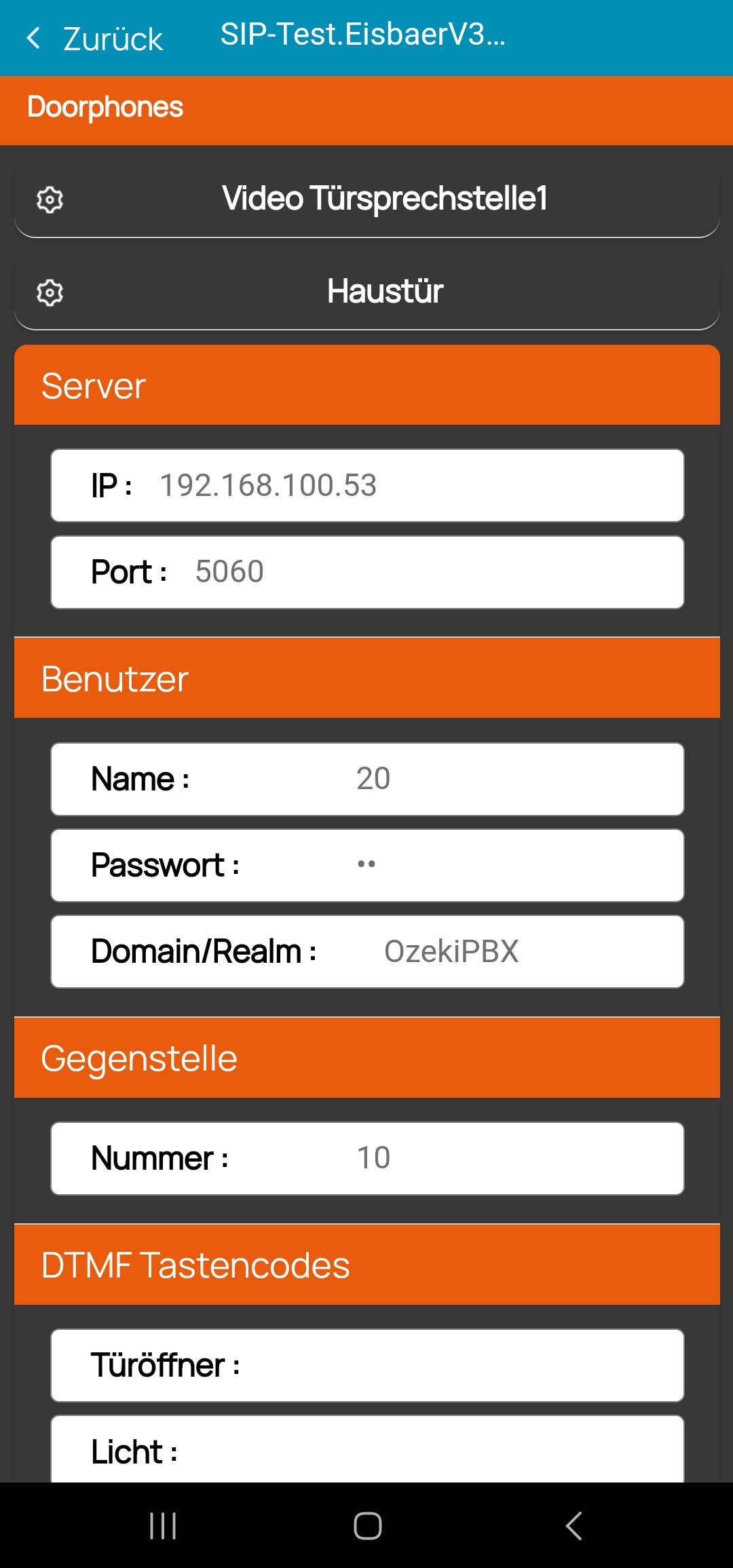
If a connection to the EisBaer server is established, the app logs on to the SIP server according to the settings and can then also be called.
The mobile device is woken up and rings when it is called. The prerequisite is that the EisBaer app is still open in the background.