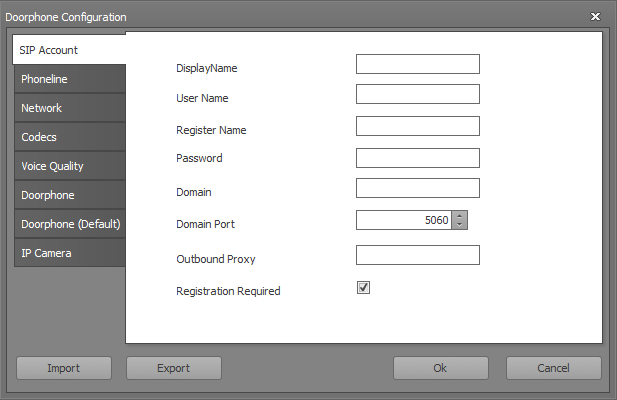
The video door intercom KIT behaves like the video door intercom in Windows Server / Client operation. Here, the inputs and outputs can be freely selected / placed.
For Windows 8.1 and higher, these instructions should be followed.
Data points of the component
Name |
Type |
function |
|---|---|---|
Accept |
Input |
Unlock the communication paths |
Call |
Input |
Selects the entered number and starts the call process |
Caller [Text] |
Output |
For an incoming call, the corresponding text is displayed (for example, name or station) |
Hang up |
Input |
Interrupts the communication connection |
DTMF 0 |
Input |
Enter the number 0 |
DTMF 1 |
Input |
Enter the number 1 |
DTMF 2 |
Input |
Enter the number 2 |
DTMF 3 |
Input |
Enter the number 3 |
DTMF 4 |
Input |
Enter the number 4 |
DTMF 5 |
Input |
Enter the number 5 |
DTMF 6 |
Input |
Enter the number 6 |
DTMF 7 |
Input |
Enter the number 7 |
DTMF 8 |
Input |
Enter the number 8 |
DTMF 9 |
Input |
Enter the number 9 |
DTMF 10 (star) |
Input |
Enter the star symbol |
DTMF 11 (hash) |
Input |
Enter the diamond symbol |
Open Settings Dialog |
Input |
The client settings for the door intercom open with any trigger signal on this input. When used in the editor, the data is not saved. The setting is done in the client, specific for each PC. |
IP-Camera Video Visible |
Input |
When an On signal is input, the display of the IP camera pictures is paused. No picture is displayed. If an Off signal is applied, the images will be displayed at the set number of frames per second. |
Doorphone Ringing |
Output |
On while the doorbell rings. Off if the call is accepted or the remote site hangs up. |
Speaker Mute |
Bidirectional |
Turns the speaker on and off |
Speaker Volume |
Bidirectional |
Adjusts the volume of the speaker |
Switch Light |
Input |
Switches the lighting on the call station on / off |
Mouseover |
Output |
This output can be used to start an event when the object is moved by mouseover. |
Microphone Mute |
Bidirectional |
Turn the microphone on and off |
Microphone Volume |
Bidirectional |
Sets the sensitivity of the microphone. |
Call Number |
Input |
Calls the dialed number |
Visible |
Input |
With an off-signal the component unVisible and with an on-signal Visible is switched. |
Register Phoneline again |
Input |
Disconnects and establishes a new connection with the SIP server. |
Local Video Start/Stop |
Input |
Establishes the connection to the camera of the microphone unit |
Hide Status Text |
Input |
Hides the status text On and Off |
Input |
||
Open Door |
Input |
Gives the door lock free |
Phoneline State |
Output |
Returns the connection status. |
Properties are identical to the video door station!