Instructions for setting up SIEDLE intercoms in the EisBaer SCADA
Setting e.g. Siedle Access Server with Siedle Vario outdoor station or Siedle SMART Gateway SG 650
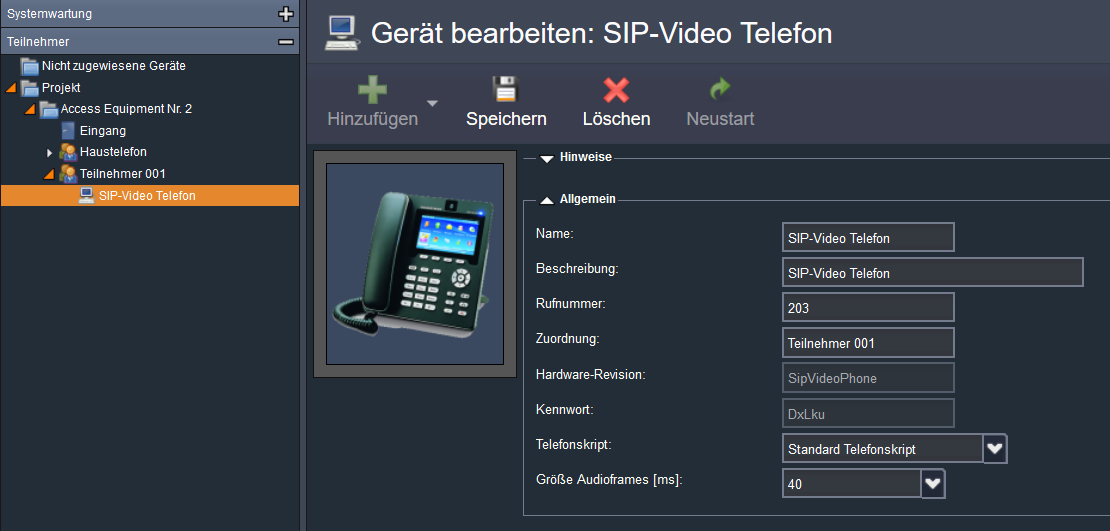
Create participant, assign password
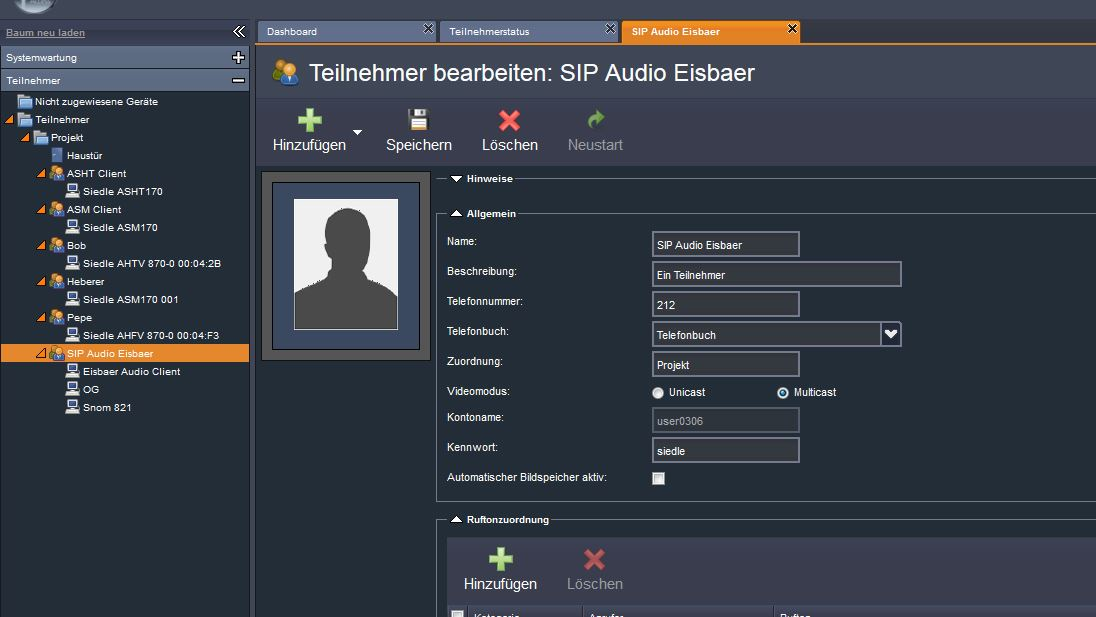
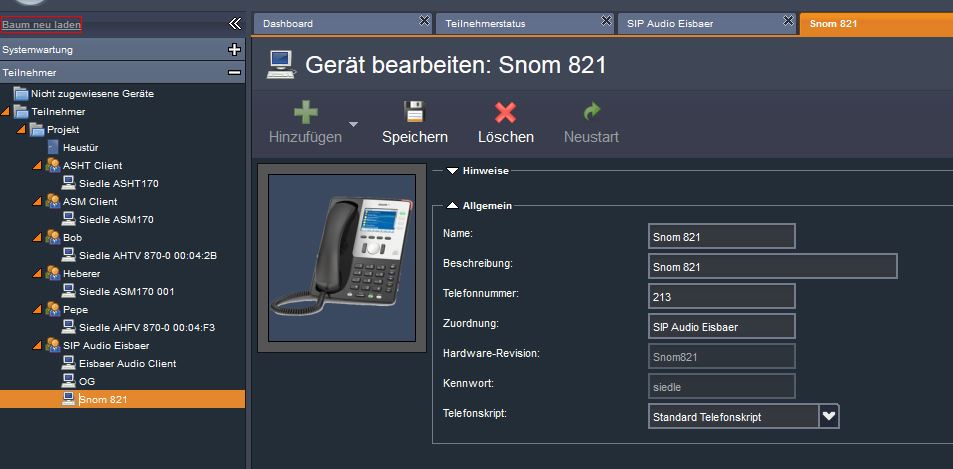
Add device, type Snom821.
The phone number is the registration name in EisBaer.
For each client, a new device must be added.
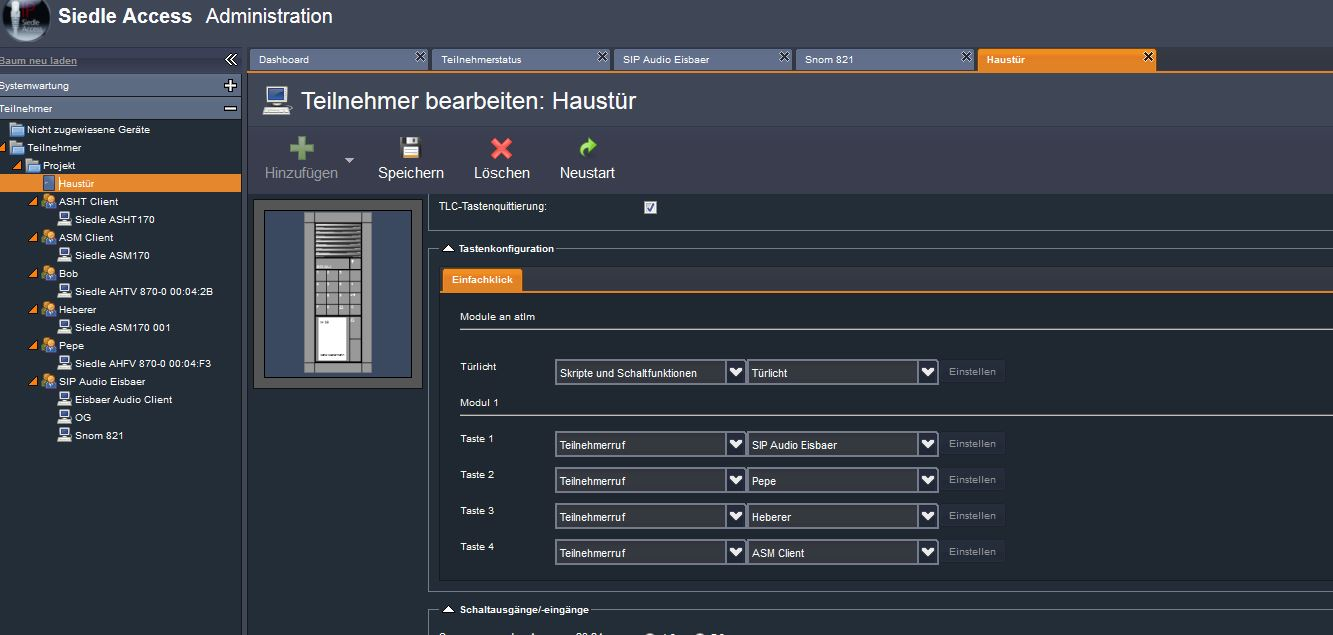
In the front door station, add the bell button "SIP Audio Eisbaer"
Properties
Name |
Standard |
function |
|---|---|---|
Registration Required |
x |
If the check mark is set, the video door station must be registered with the proxy (switchboard / exchange) with name and password. |
Display Name |
|
Any name that is displayed when connecting to the remote station. |
User Name |
213 |
Name of the user in the server domain. Mostly identical to the registration name. |
Register Name |
213 |
Name for registration at the proxy. |
Password |
siedle |
Password for registration at the proxy server (switchboard / exchange). |
Domain Server Host |
192.168.2.1 |
Domain of the Proxy, sometimes referred to as Realm. In many cases, the IP address of the proxy is also entered here. |
Proxy IP |
|
IP address of the proxy server (switchboard / exchange). |
Proxy Port |
5060 |
SIP port of the proxy server for registration. |
DTMF Key |
#61 |
DTMF signal tone sent to open the door. |
DTMF Light |
|
DTMF signal tone sent to switch the lighting. |
Number |
|
Internal number or name of the station on the proxy server (switchboard / exchange). |
IP Camera URL/Pfad zum MJPG-Stream |
|
URL / path to the MJPG stream in the IP camera, e.g. http: // <IP> / <xxxx.mjpg path /> |
IP Camera User Name |
|
Username to log in to the camera if anonymous access is not possible. |
IP Camera Password |
|
Password of the user to log in to the camera. |
IP Camera Pictures per Second (0-20) |
5 |
Refresh rate of the image display. The set number of pictures of the camera is displayed, per second. 0 = speed of IP camera |
Setting up the SIEDLE door station via the SIEDLE Access Server 3.2
Connection to the server's Access Administration Console 192.168.1.1
via network: account name: admin password: admin
Remote: Account name: Administrator Password: SiedleAccessMain2015
The Dashboard displays the current status of the attachment
In the Basic Parameters tab, the IP address of the Siedle Access Server must be entered (default 192.168.1.1). Here also the language can be adjusted.
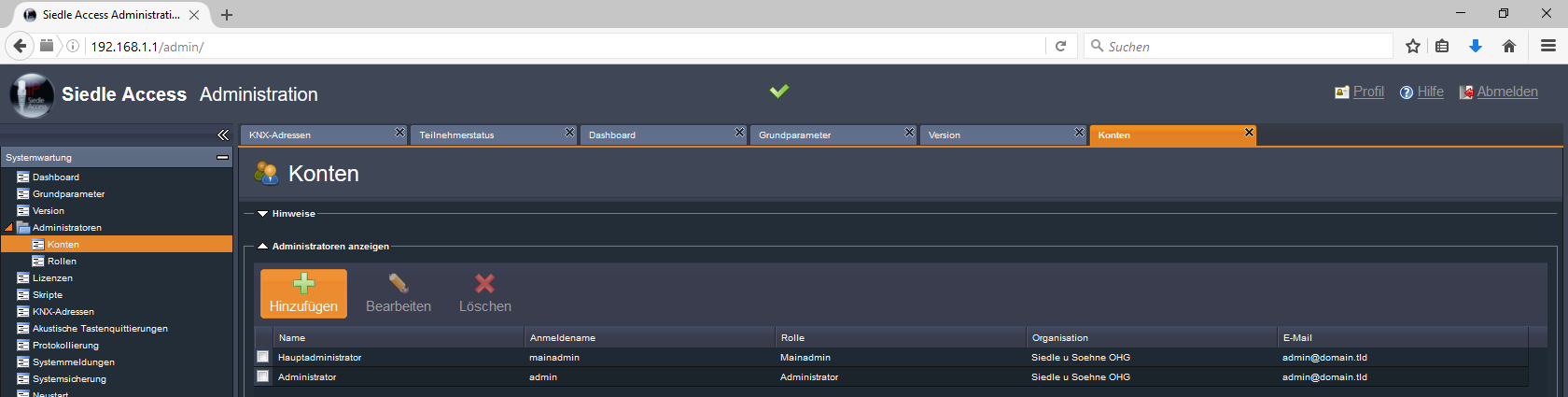
Under Administrators, Accounts, the user groups can be created.
Under Subscriber status you get an overview of the status of the set devices with phone number and name.
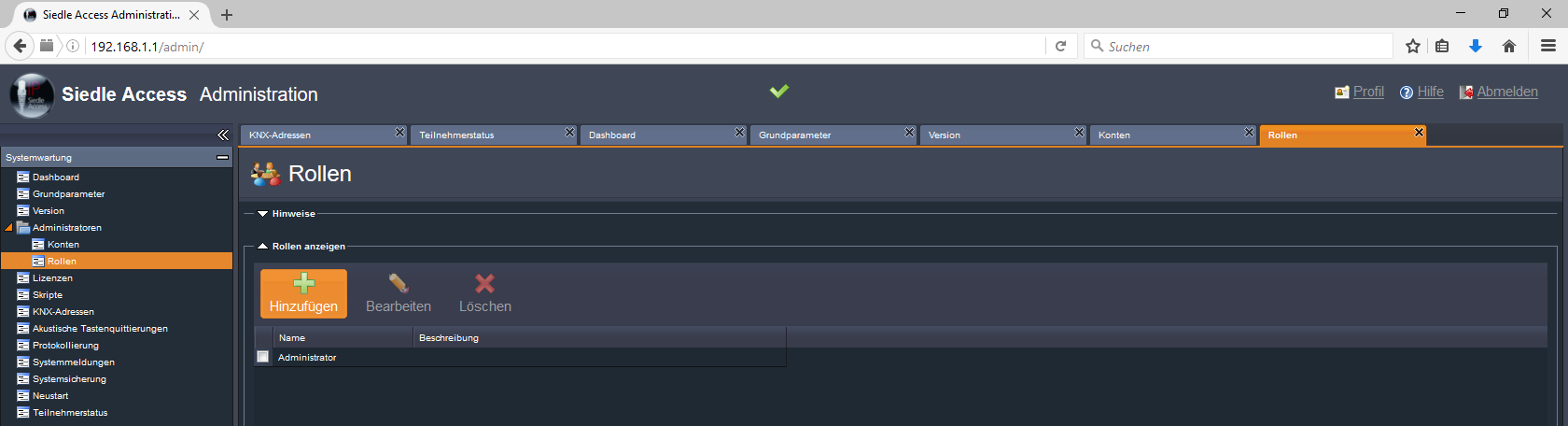
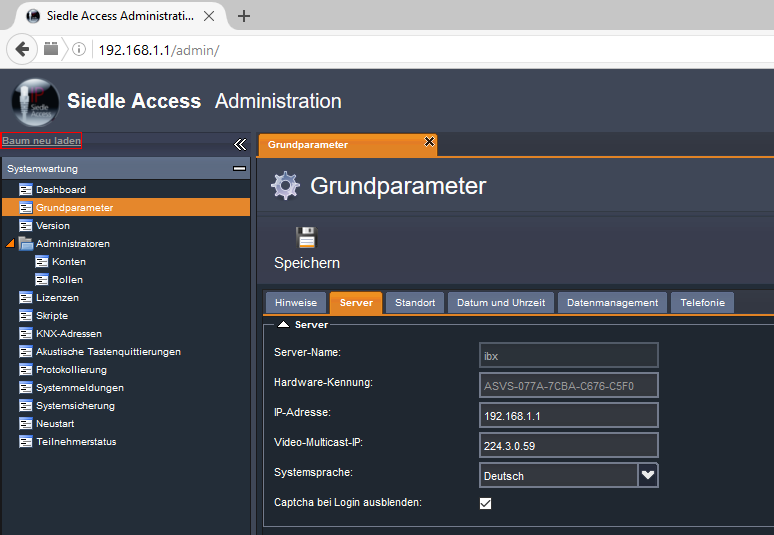
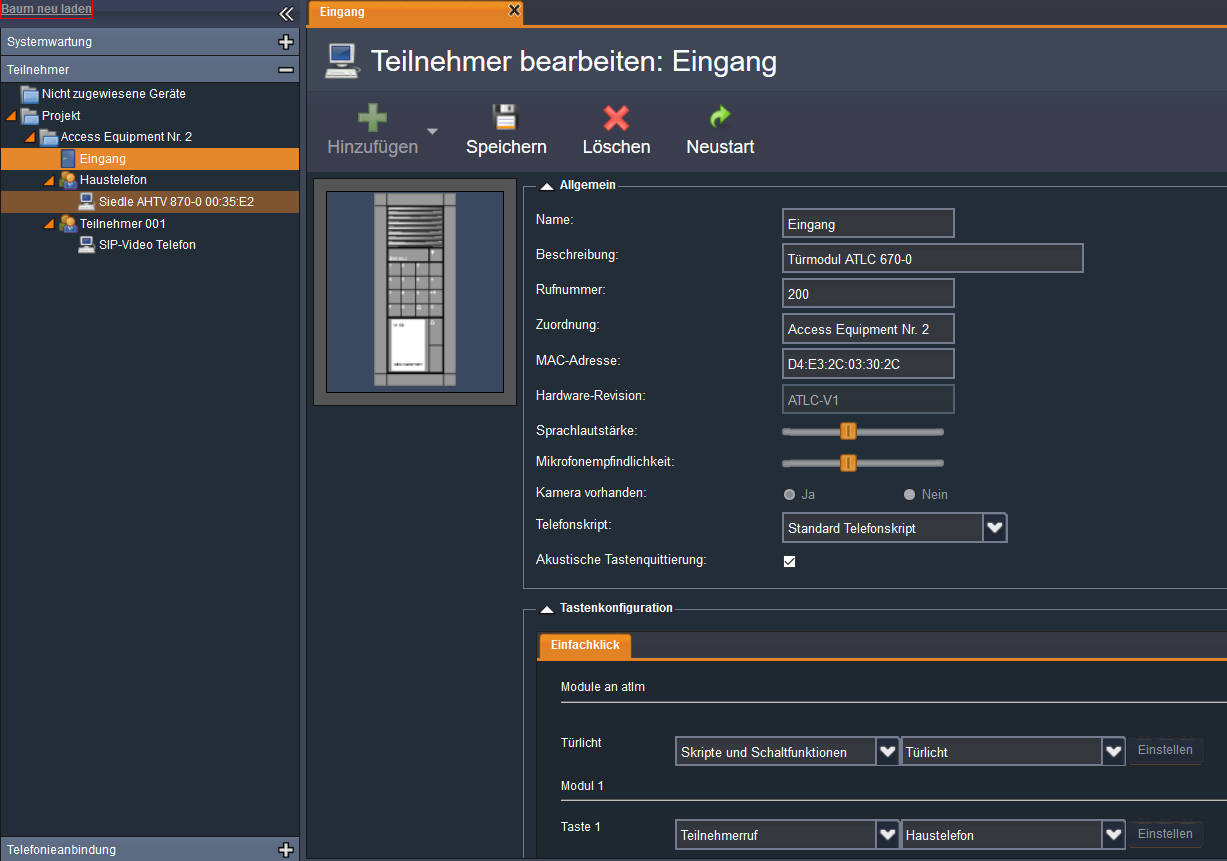
In the Participants menu, the project can be created as a folder and the participants (terminals) added.
The participants are displayed individually under the folder and can be edited by a selection.
Settings for an EisBaer connection are made via a SIP video telephone.
The door station is then configured in the EisBaer with the video codec H263_Plus at the top.
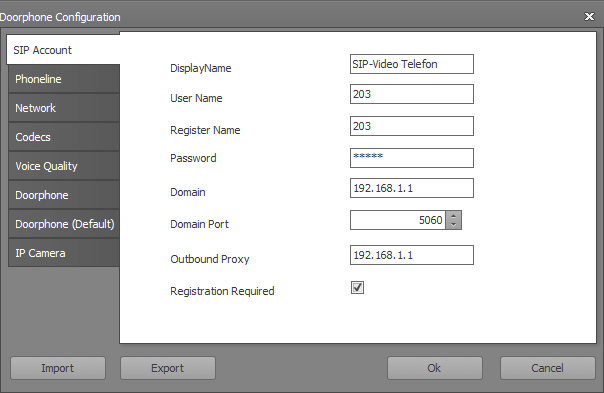
Under App, the following settings are made in the app list view:
In the polar bear app you have to enter "cytel" in the settings (app list view) under Realm.
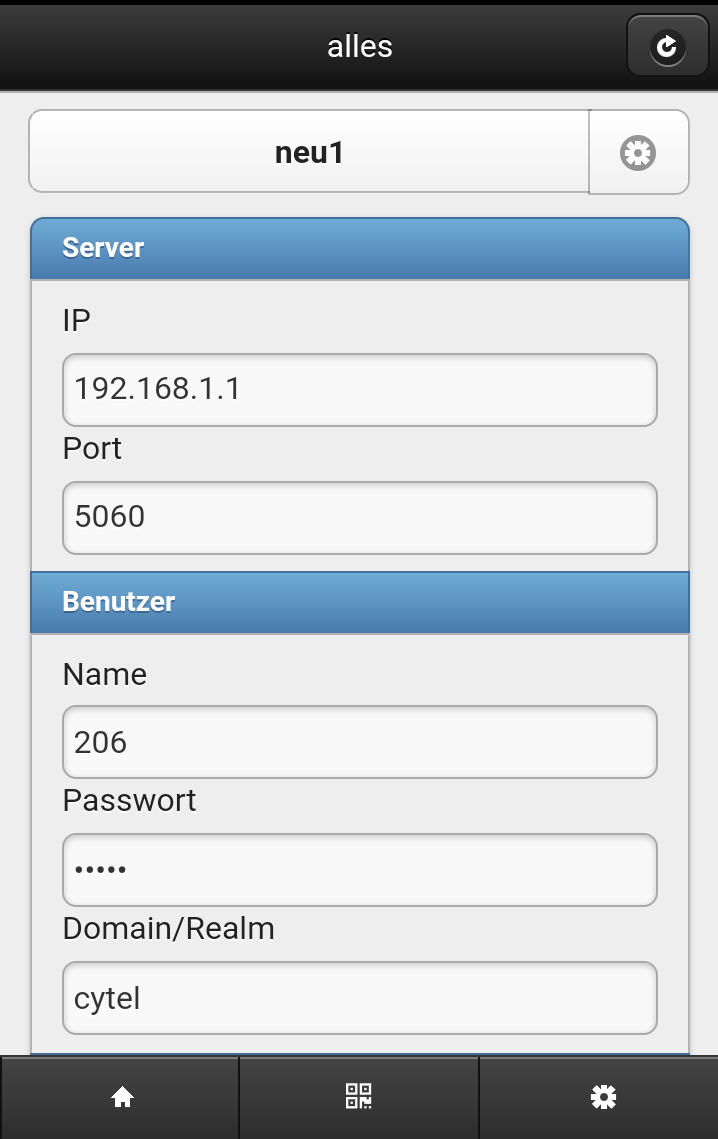
IP: IP of the Siedle DHCP server
Port: Port of the server
Name: Call number of the SIP subscriber in the Siedle system
Password: Password that forgives the system
Domain / Realm: cytel
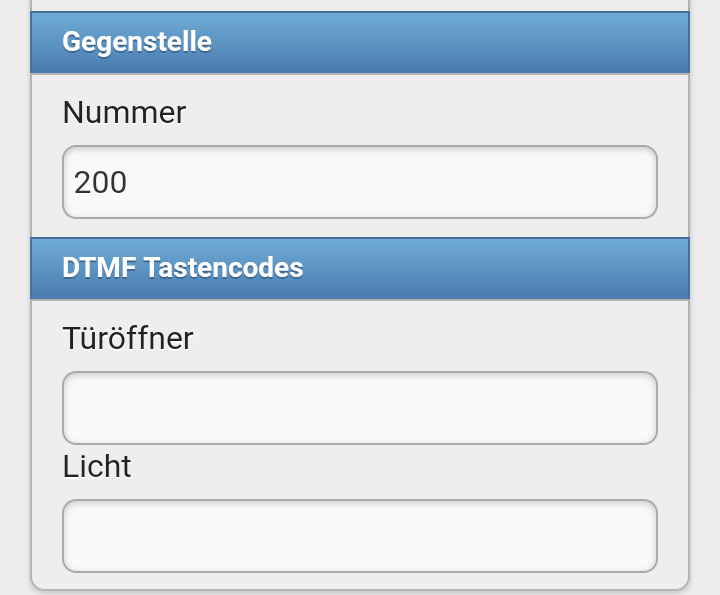
Number of the remote station: Telephone number of the outstation
DTMF door opener: # 61
DTMF light: not available