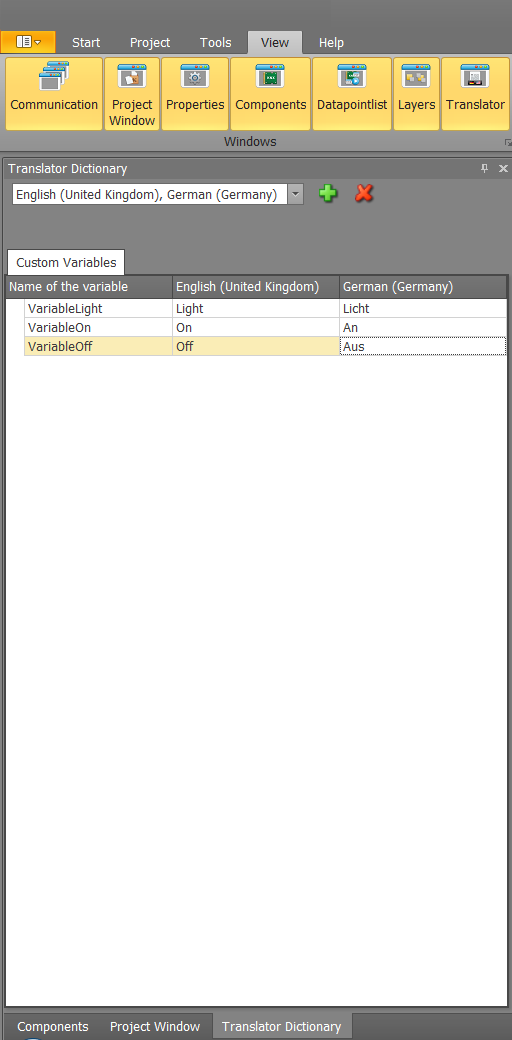
Activate the translator window in the "view ribbon" See chapter View.
Enable the required languages in the pull-down menu. Add variables with the green "plus button". Delete variable with the red "X button".
- The variable name is free.
- All variables must be unique.
- Enter the varaible name in this table without the leading $ character.
Attention: The translator must be set to the same language as in the component translator.
In the example below, the text was described as "$ VARIABLE0". VARIABLE0 corresponds to "light" in English and "light" in English, depending on the language selected.