If a multilingual project is created, a translation must be created manually for the texts of the components.
To do this, a $ sign must be placed in front of each text that is to be translated and defined in the translation list. The translation table will be searched for this $-word and translated into the desired language, if an entry has been entered for it.
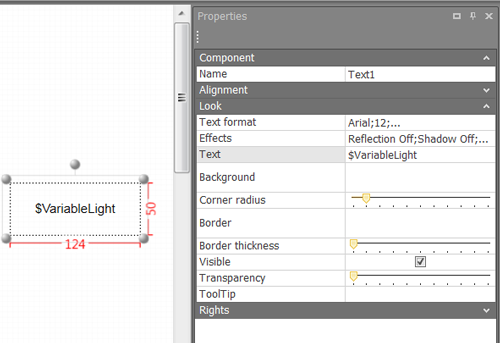
The translations of the component texts must be created in the translator (translation window), which can be activated in the view ribbon.
The translations of the component dialogs are checked / created in the component translator, which can be activated in the tool ribbon.
Both settings must be identical.
Attention: The translator must be set to the same language as in the component translator.
The language can be changed as required during runtime in the client. All you have to do is to integrate the "Project language selection" component from the comfort menu into the interface.