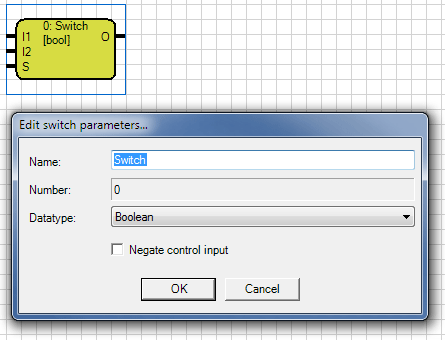
The Switch selects thru the control input one of the two inputs and sends the input value to the output.
When the control input S is a off-signal, the value of I1 is passed to the output. When Control input S is a on-signal, the value of I2 is passed to the output. When switching the last value of the new
selected input is sent to the output.
The inputs are marked with I1 and I2 and are located on the top left of the element. The control input is marked with an S and is located bottom left of the element. The Control input is
invertible. This may be made within the parameter window or by double-clicking the S-connection. The output is characterized by an O, it is right on top of the element.
The name of the gate can be chosen freely.
Note: For input and output are only identical types of data allowed. For the control input are just 1-bit objects (Boolean) allowed.